




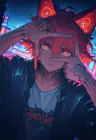
Generation data
Resources used
- LoRA
v2.0 - krea2
Prompt
External Generator
txt2img
Create a polished, cinematic comparison infographic titled “LoRA Comparison”, using a dark navy background with neon blue and purple accents, glowing borders, rounded panels, and clean, modern typography.
Layout: Two large anime portraits side by side at the top, followed by comparison panels and a settings panel at the bottom.
Left image — “Without LoRA” Use the provided image of the anime girl with green eyes, dark hair, pink clothing, and cherry blossoms in the foreground. Preserve the original image's appearance.
Right image — “With Niji Aesthetic (weight: 2.0)” Use the provided image of the anime girl with blue eyes, intricate glowing orange facial markings, dark hair, ornate clothing, and cherry blossoms in the foreground. Preserve the original image's appearance.
Comparison panel — Without LoRA
Softer lighting Smoother shading Less contrast More natural and balanced look Colors are calm and clean
Comparison panel — With Niji Aesthetic (weight: 2.0)
Stronger lighting More dramatic shadows Higher contrast Warmer highlights More cinematic atmosphere Richer, more vibrant colors
Settings panel
Model: Krea 2 Prompt: Same Only difference: Niji Aesthetic (weight: 2.0)
Footer text: “Same prompt. Same model. Just the Niji Aesthetic LoRA. A simple change. A noticeable difference.”
Design requirements: Maintain a balanced composition, readable English text, consistent typography, accurate spelling, clear separation between the two images, and a professional AI-art comparison aesthetic. Do not mention or display anything related to seeds. Do not swap the images: the green-eyed girl must appear on the left, and the blue-eyed girl with glowing facial markings must appear on the right. Do not generate replacement portraits; use the two provided reference images directly.
Other metadata
sampler:Krea3-medium
seed:-1
width:1776
height:2368
Discussion