
Setting Up LoRA Training Data
LoRA (Low-Rank Adaptation) training is your opportunity to introduce new visual concepts into a pre-trained model (checkpoint) by fine-tuning it with customized image data. But what do you need for this process?
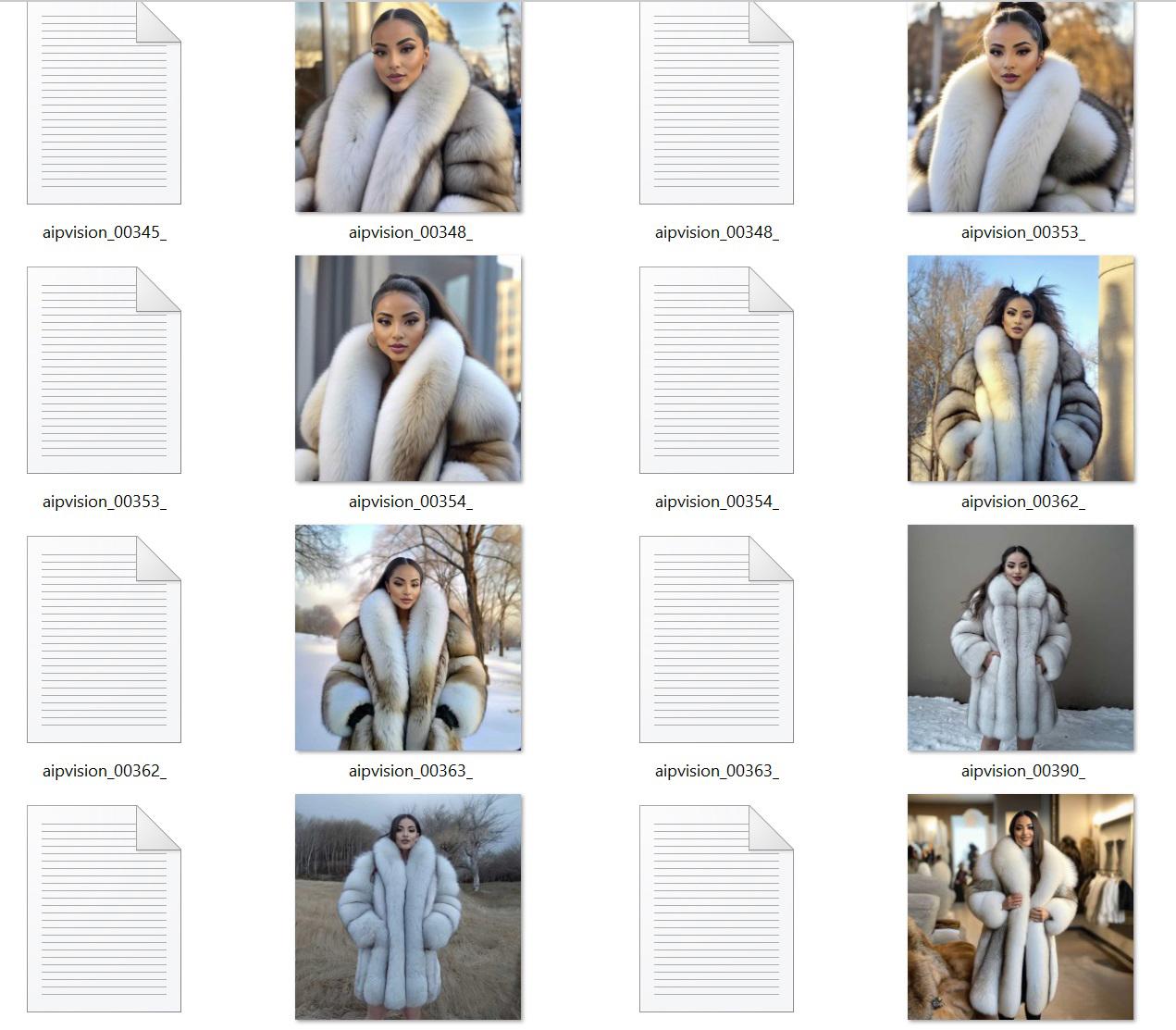
You can use various tools for training, such as the CivitAI LoRA trainer or other available frameworks like Kohya_SS. The setup and methodology depend on the tool you choose.
A. Essential Components
1. Image Dataset
Your dataset should include:
Training images: These are the primary images used to teach the AI model.
Reference images (for SDXL/SD 1.5 with Kohya_SS): These additional images provide a baseline for style consistency. A recommended ratio is 1:100 (e.g., 17 training images + 1700 reference images).
Note: The CivitAI trainer and Flux do not support reference images. Instead, they require a larger number of training images. A style LoRA, for example, may require at least 50–100 images.
2. Text Annotations (Captions/Tags)
Each image should have an associated text file containing descriptions to guide the training process. Depending on the method, you can use:
Tags (short and structured): Example –
"woman, blonde, jacket, 1girl, solo, cinema, night"Captions (detailed and descriptive): Example –
"A realistic photo of a beautiful blonde woman with wavy hair, seated comfortably in a red satin ball gown at a dimly lit cinema event."
Choosing the right format:
Tags work well for more generalized training and style adaptation.
Captions provide richer context and are useful for high-detail and character-focused models.
3. Captioning & Tagging Tools
To generate captions or tags automatically, use:
Automatic1111’s Web UI Add-on – Supports batch captioning via BLIP (for full captions) or Booru tagging (for object-oriented tagging).
Notepad++ or Python scripts – Useful for batch editing and refining text annotations.
Why is text quality important?
The AI model learns based on the text provided. If annotations are inaccurate, misleading, or overly generic, the LoRA will produce inconsistent results.
B. Image Selection & Preprocessing
1. Data Sourcing & Copyright
Ensure that you own or have permission to use the images. Using AI-generated images with metadata (stored in PNG files) can simplify dataset creation.
2. Image Resolution & Format
The recommended resolution is 1024×1024 (for SDXL and Flux).
If using mixed resolutions, enable bucket training to group images by size.
Resizing & Compression:
FFmpeg – Resizes and converts images efficiently.
Mass Image Compressor – Reduces file sizes while minimizing quality loss (useful for CivitAI training, which has a 50MB dataset upload limit).
Quality vs. Quantity:
Higher image quality improves training, but smaller file sizes allow for larger datasets within platform limits.
C. What to Avoid in Training Images
When selecting images, be mindful of objects and accessories that could negatively impact training results.
1. Accessories & Small Details
Avoid elements that can cause inconsistencies in facial features and hands, such as:
❌ Glasses – May distort facial symmetry, leading to unpredictable results.
❌ Piercings – Small metallic objects may confuse the model, blending into skin textures.
❌ Bags & Shoulder Accessories – These may interfere with body proportions and limb positioning.
❌ Hats & Headgear – Can obscure hair and face details, leading to inconsistent character generation.
2. Repetitive Backgrounds & Patterns
If all images feature a similar background, lighting, or composition, the model may overemphasize these elements.
✅ Instead, introduce diverse environments (e.g., indoor, outdoor, daytime, nighttime) to improve generalization.
3. Poor-Quality or Low-Resolution Images
Training on blurry, pixelated, or heavily compressed images leads to poor fine-tuning and artifacts in generated results.
✅ Use high-resolution, well-lit images to ensure better training outcomes.
D. Structuring Your Dataset
1. Variety & Pattern Recognition
AI models identify patterns in the training data. If a dataset is too uniform, the model will overemphasize certain traits:
Training only on bright, outdoor scenes → Difficult to generate dark, indoor settings.
Repeating a single character too often → The LoRA will struggle to generalize styles.
To maintain balance, include a mix of:
Lighting conditions
Background environments
Character designs (if applicable)
2. Using Trigger Words
Trigger words act as identifiers for trained elements within the LoRA model.
Example: If training a character named "Petra," include "Petra" in captions and set it as a trigger word in training settings. Later, prompting with "Petra" will generate images resembling the trained subject.
Multi-Character Training
When training multiple subjects:
Name files systematically (
character1_001.jpg,character2_001.jpg, etc.).Distribute images evenly to prevent overtraining one subject.
E. Optional Tools for Optimization
Rename-It! – Helps rename and organize dataset images.
Python Scripts – Useful for dataset mixing, metadata extraction, and automation (ChatGPT can assist with script generation).
Time Investment:
Expect to spend 10–20+ hours generating images, refining captions, and structuring data properly. Quality training takes time, but the results are worth the effort.