



🔬 Forge Grid: Sampler × Scheduler — Your Key to Smart Stable Diffusion Experiments!
Curious about how samplers and schedulers affect your Stable Diffusion images?
Forge Grid: Sampler × Scheduler is a powerful extension for Stable Diffusion Forge that lets you create image grids to compare sampler and scheduler combinations with ease. User-friendly, robust, and flexible, it’s your go-to tool for testing and optimizing image generation.
🌟 What Can Forge Grid Do?
The script offers two modes to explore Stable Diffusion settings in a way that suits you:
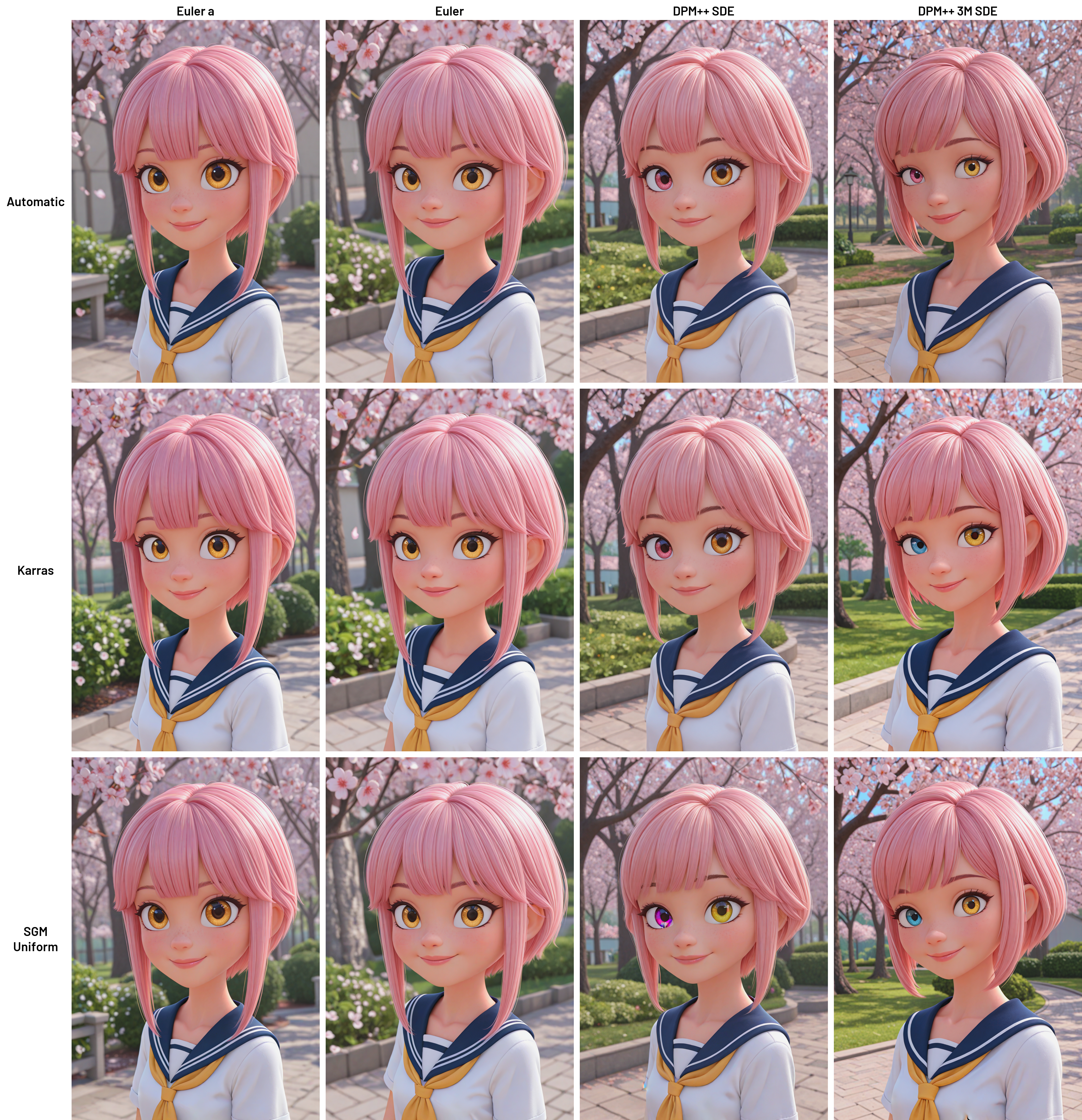
XY Grid: Generates a grid of all possible combinations of samplers and schedulers selected via dropdowns. Perfect for bulk testing!
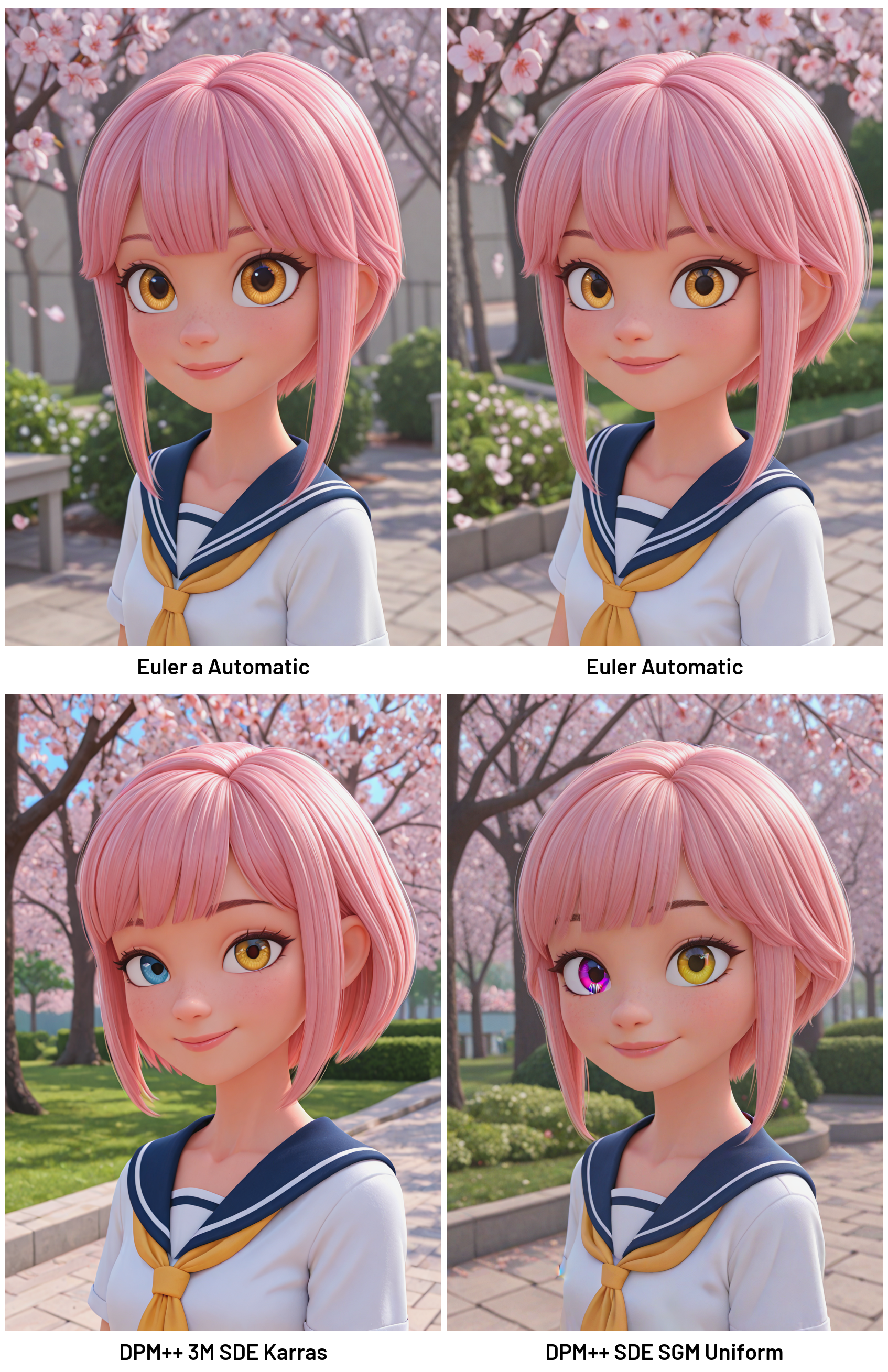
Batch Grid: Lets you manually specify sampler-scheduler pairs via text input or add them using the “Add Pair” button in the interface.
With this tool, you can visualize how different settings impact image quality, save results for analysis, and work with maximum convenience.
✨ Why Try It?
🤸♂️ Flexible Modes: XY Grid for automatic combinatorial testing and Batch Grid for custom pairs added via interface and/or manual input.
🔮 Intuitive Interface: Gradio interface with dropdowns, text fields, and buttons for easy configuration.
📋 Detailed Logging: Each pair (sampler and scheduler) generation is logged in the terminal with progress, and errors are logged in detail.
🪄 Auto-Downscaling: Grids exceeding 16,383 pixels are automatically resized without quality loss to maintain performance.
🎯 Auto-Activation of save_large: For 50+ cells, protection against errors for large grids is automatically enabled.
🛠️ Customizable Output: Text labels for sampler and scheduler with a custom font
Barlow-SemiBold.ttf).⚠️ Fallback Images: Shown for generation failures with invalid pairs and replaced with fallback images with readable error messages.
🚰 Duplicate Filtering: Duplicate pairs in Batch Grid are automatically removed to prevent errors.
🔀 Flexible Parameters: Configure prompts, seed, steps (1–100), CFG (1.0–30.0), dimensions (256–2048 px), padding (0–200 px).
📅 Individual Cell Saving: Save to
/cellsvia button, convenient for analysis.💾 PNG and WEBP Support: Choose one or both formats.
⚙️ Installation
❗ Important: This is a script, not an extension.
Forge only loads .py files placed directly inside the scripts/ directory. After cloning, you must move the main .py file out of the cloned folder and place it into /scripts/.
Clone the repository into your Forge
/scripts/folder: git clone https://github.com/PupaBoo/Forge-Grid-Sampler-Scheduler
OR NEW https://github.com/PupaBoo/sampler_x_scheduler_grid_forgeNavigate to the project directory: cd Forge-Grid-Sampler-Scheduler
Install dependencies: pip install -r requirements.txt
Move the script file
forge_grid_sampler_scheduler.pyOR NEW sampler_x_scheduler_grid_forge.py from the cloned directory directly into your Forge/scripts/folder.(Optional) Place the
Barlow-SemiBold.ttffont in thescripts/folder for improved label display.Restart Forge WebUI.
🚀 Usage
Launch Forge WebUI and select
Forge Grid: Sampler × Schedulerfrom thetxt2imgscript dropdown.
Choose a mode:
XY Grid: Select samplers and schedulers for X and Y axes via dropdowns. The grid forms all possible combinations.
Batch Grid: Add sampler-scheduler pairs via dropdowns (using the “Add Pair” button) or manually in the text field (e.g.,
Euler a,Automaticper line).
Configure parameters:
Positive/negative prompt.
Seed (leave blank for random).
Steps, CFG, image dimensions, padding, save format (WEBP/PNG).
Enable labels and individual cell saving.
Click “Generate” to create the grid. Pair progress and errors are logged in the terminal. Use “Stop Grid Generation” to interrupt.
🛠 Requirements
Python 3.7+
Libraries:
gradio,Pillow,numpy(Optional)
Barlow-SemiBold.ttffont
⚠️ Limitations
Generation stops on errors (e.g., invalid pairs or empty axes in XY Grid).
Duplicate pairs in Batch Grid cause generation to stop.
📜 License
Licensed under the [MIT License](LICENSE) © 2025 PupaBoo.
Free to use with attribution—see LICENSE.
🙌 Acknowledgments
Built with
Gradio,Pillow, andNumPy.Developed with assistance from Microsoft Copilot, Grok 3, and ChatGPT.
🤝 Contributing
Ideas, bug reports, and pull requests are welcome on GitHub
📸 Examples
XY Grid
Batch Grid
I’m planning to develop a couple more scripts to boost result speed and enhance usability in Forge. Keep an eye on updates for what’s coming next!