
Hello!
This is a tutorial a user requested on how to create an ending frame for a video that requires a first and last frame.
https://civitai.com/articles/17191/how-to-make-nsfw-videos-easily-and-quickly-locally
https://civitai.com/articles/17239/how-to-make-videos-using-first-and-last-frames-quickly
The first thing is to use the png info in automatic1111.
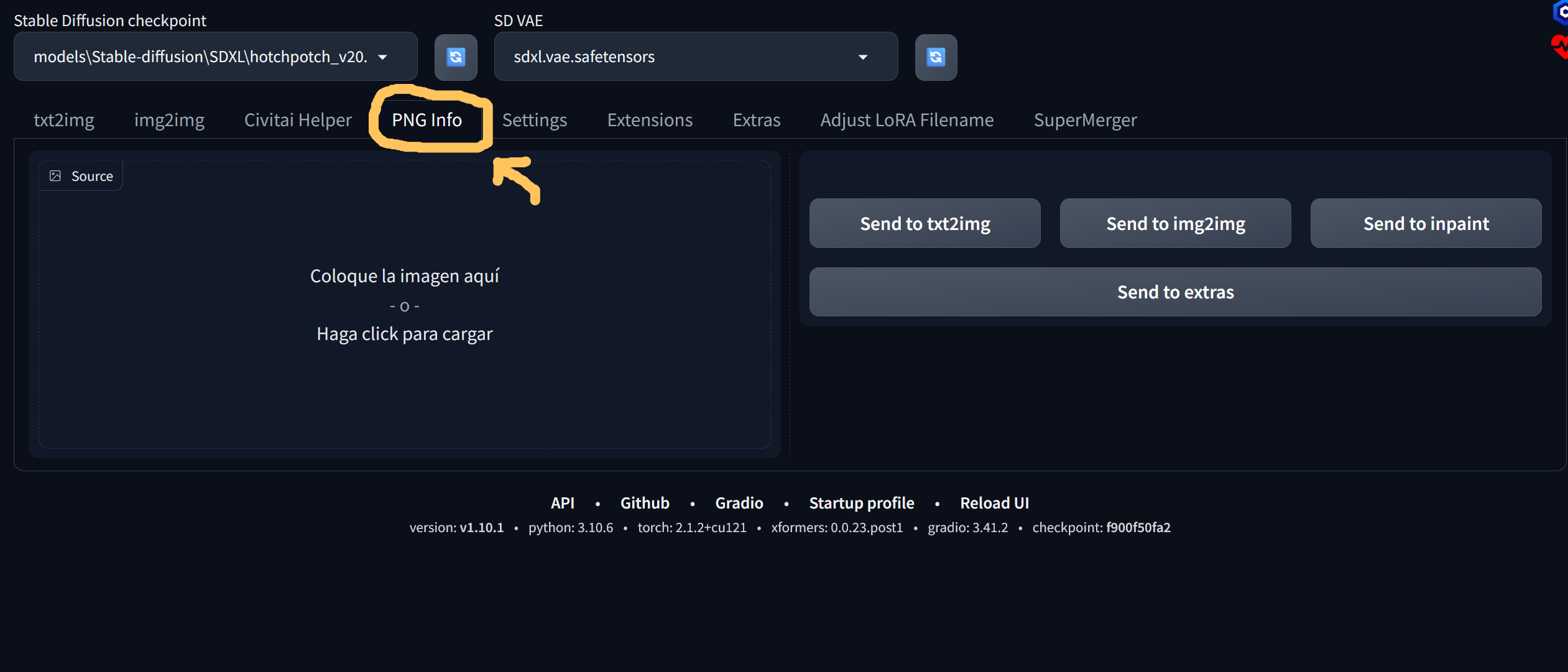
This way we will get the prompts, Loras and checkpoints that were used to make that image and use them in the new image.

Now we use the button to inpaint all that information automatically.

Now we will go to img2img to use inpaint and we will have to activate the additional networks tab.

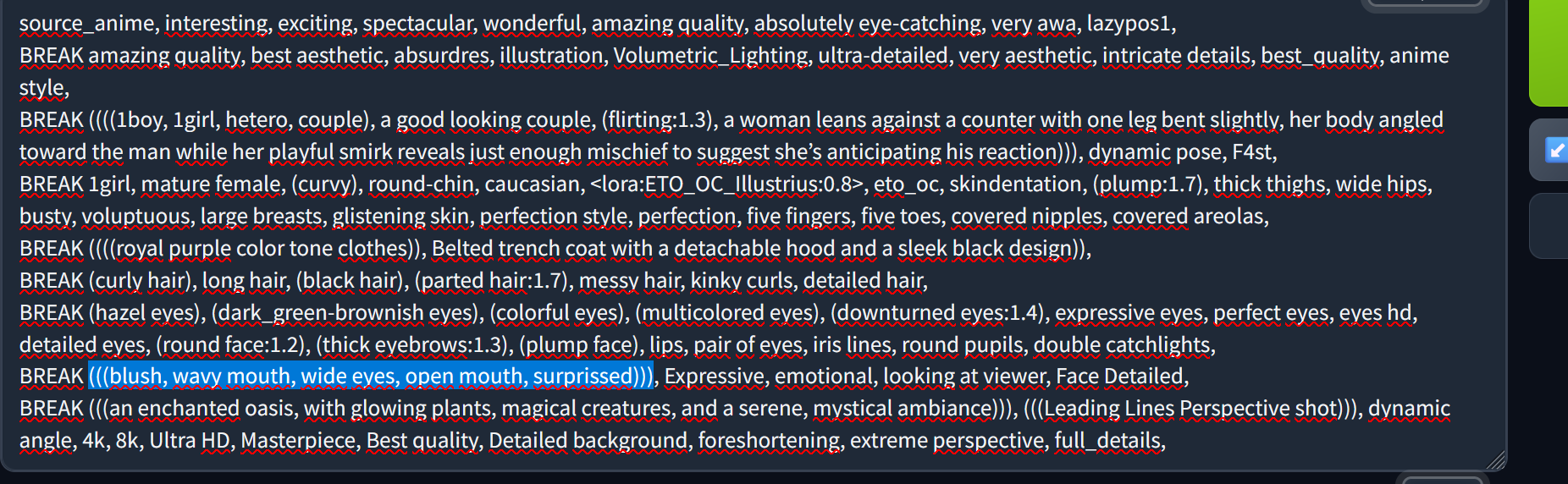
If we click on the brush icon, we can choose the brush size for the mask and thus be able to choose which part of the image we want to change.

I'm going to change the girl's facial expression, and I'm going to change the boy's so that instead of grabbing her thigh, he's grabbing her breast. So I'll make a mask that includes the parts I want to change.

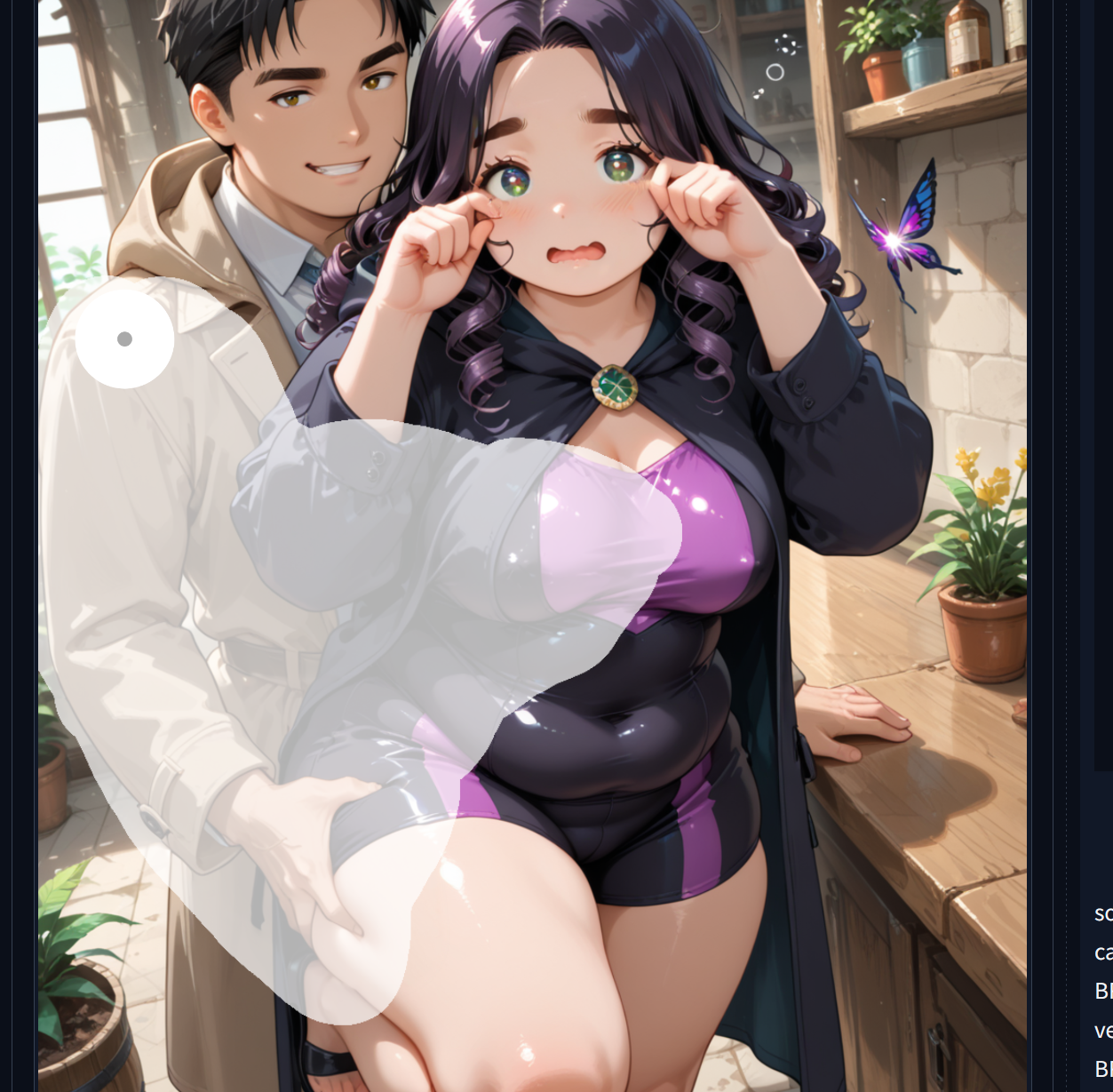
Now we need to change the prompts so that the image changes.

Here I have the original facial expression, so I'll change it to the new one I want it to have.
Now I will change the boy's original pose.

For this other new pose.

We click on the generate button.

The girl's face changed, but the boy's arm didn't.

Since I liked the face, I upload the new image and now I only have to change the boy's arm. And I proceed to put the mask on with the inpaint.
I proceed to delete all the prompts that have nothing to do with the area I want to change, so the AI will focus more on changing the boy's arm.

The final prompt will be this:

Since it's a lot of change to only use 0.75 of denoising (which is the change the AI will make to the original image)...
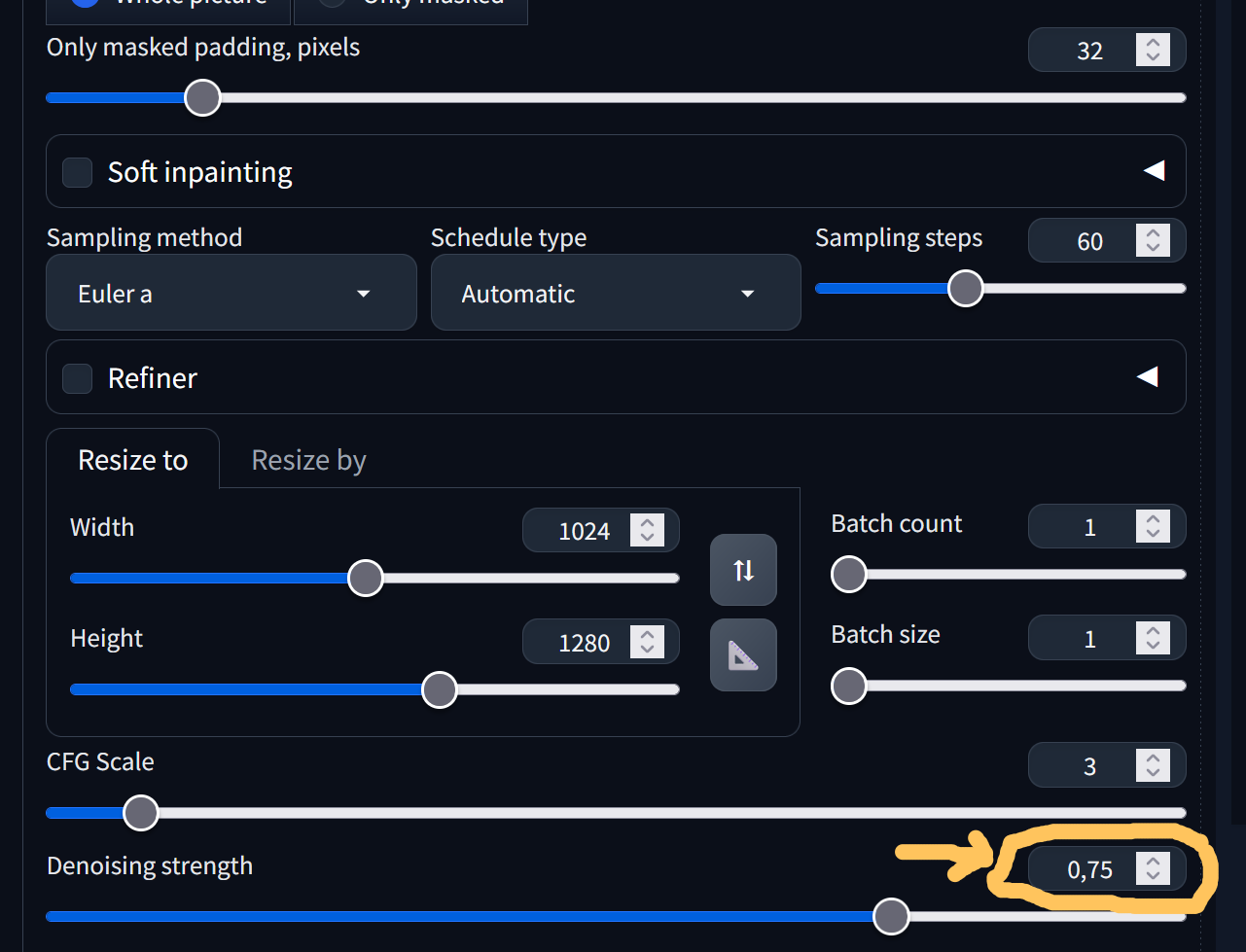
I've decided to add more denoising so that it has more room to "move the pixels around."
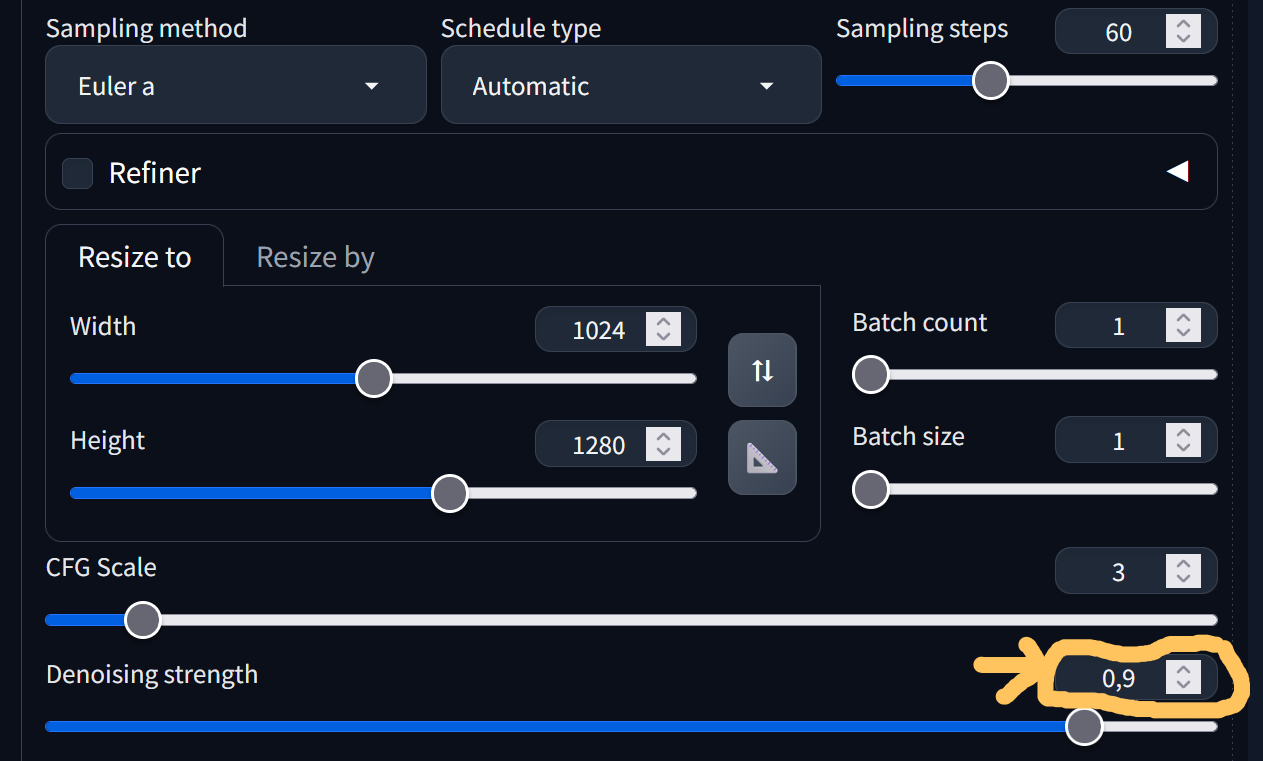
We click on the "generate" button again and wait for the result.
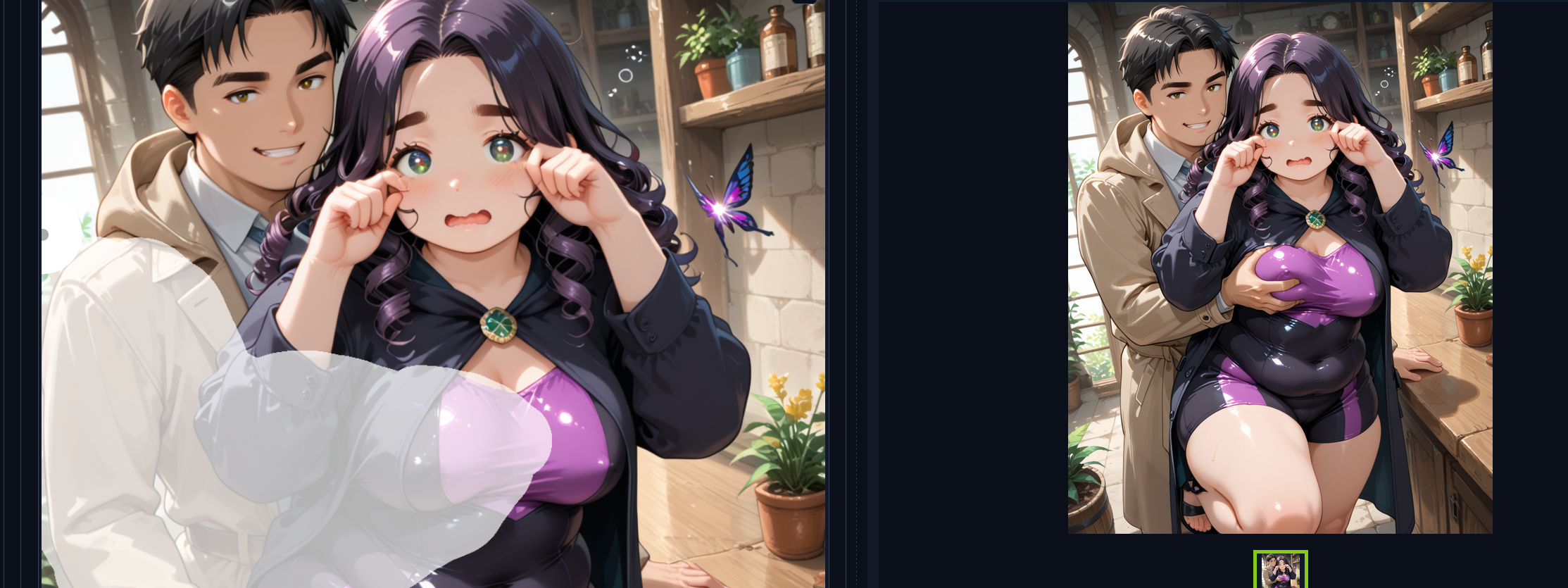
Oh, look, the change was made successfully! Well, that's the end of the tutorial. I hope it helps you make lots of videos!