
Hey folks!,
This is a complete, single-file solution (HTML+CSS+JS) that acts as a Prompt Builder & Educational Guide. It includes visual explanations for technical terms and a step-by-step wizard to ensure users generate compatible prompts.
Download the ZIP file, unzip it, and load the HTML file in your browser. (But hey, just in case you’re new to this, right? :D )
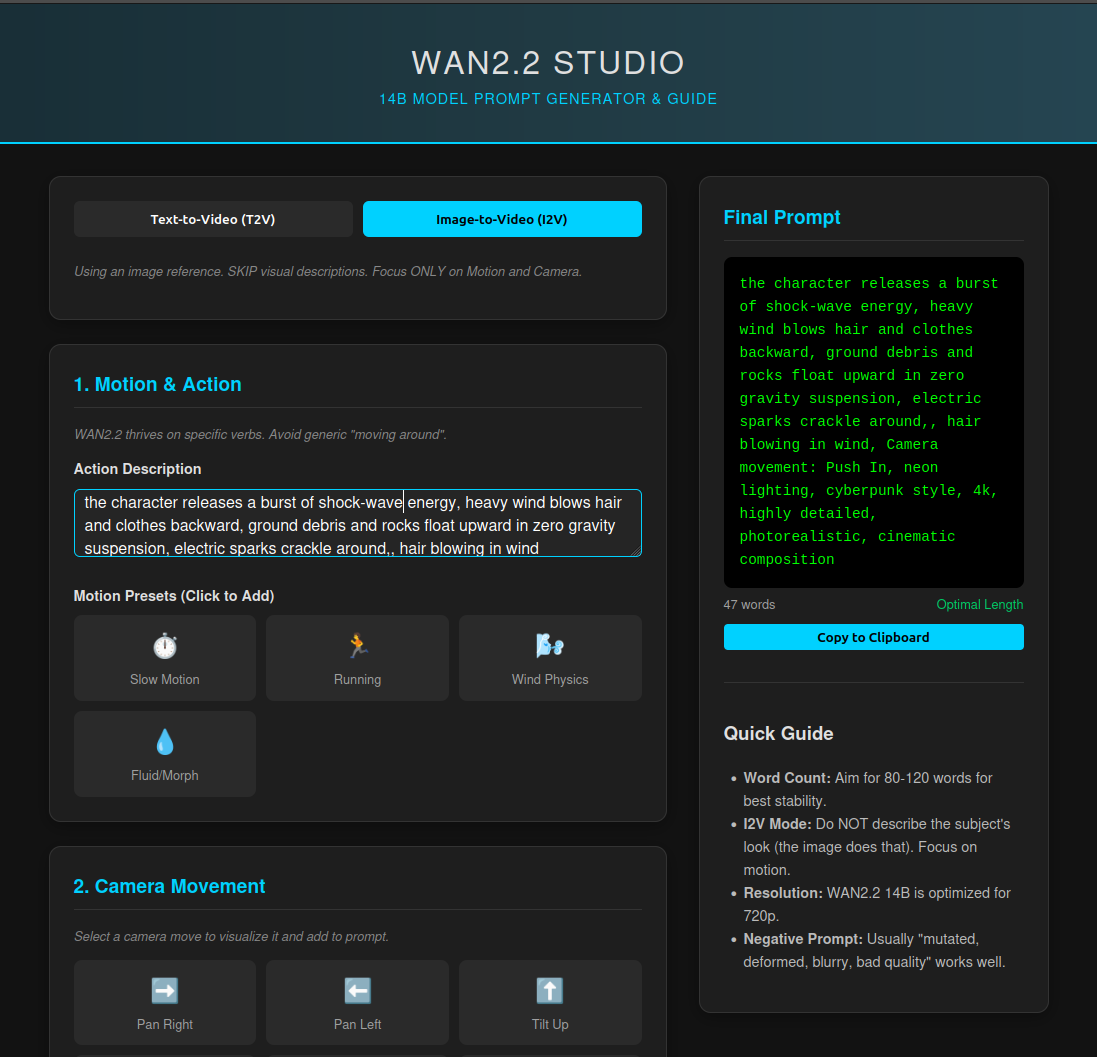
WAN2.2 14B Capabilities & Prompting
Core Capabilities:
Resolutions: Optimized for 720p (1280x720) and 480p. Supports up to 1080p.
Frame Rate: Defaults to 24fps.
Duration: Best performance for clips under 5 seconds (steps 81-121).
Architecture: Uses two "experts" => a High-Noise Expert for structure/composition and a Low-Noise Expert for details/textures. ( I think most of the Wan2.1 LoRAs are compatible with low noise, you can generally ignore the key errors mostly associated with CLIP vision embeddings.)
Prompting Constraints:
Optimal Length: 80–120 words. Prompts too short may lead to generic "hallucinations," while prompts too long can confuse the model.
Structure (Text-to-Video):
Subject + Scene + Motion + Camera + Aesthetics.Structure (Image-to-Video): Focus strictly on Motion + Camera. Do not describe the subject visually as the model takes that from the input image.
Technical Terms & Visuals:
Camera: Pan (Left/Right), Tilt (Up/Down), Push-in/Pull-out (Dolly), Tracking (Follow), Orbit (Circle around).
Lighting: Soft/Hard, Volumetric (God rays), Rim Light (Backlight halo), Golden Hour.
Info source: https://wan2.video/wan2.2-guide
Prompt examples: https://wan2.video/prompt
Good luck!