
If you’ve been using MidJourney for a while, you know how easy it is to get inspired, aesthetic results. Drop in a prompt, maybe add a --sref, crank the --stylize value, and the output practically glows. MidJourney is opinionated about aesthetics — and that’s its superpower.
But sometimes that opinionated nature works against you. You want a specific composition. A particular subject doing a particular thing in a particular place. And MidJourney keeps doing its own thing, giving you something beautiful but not quite right.
That’s where Nano Banana Pro shines. It gives you real control over composition and subject matter. The trade-off? Style takes a bit more effort to nail. The raw output can feel flat or generic compared to what you’re used to from MidJourney.
Here’s how I’ve learned to bridge that gap.
Use the MidJourney to Nano Banana Converter
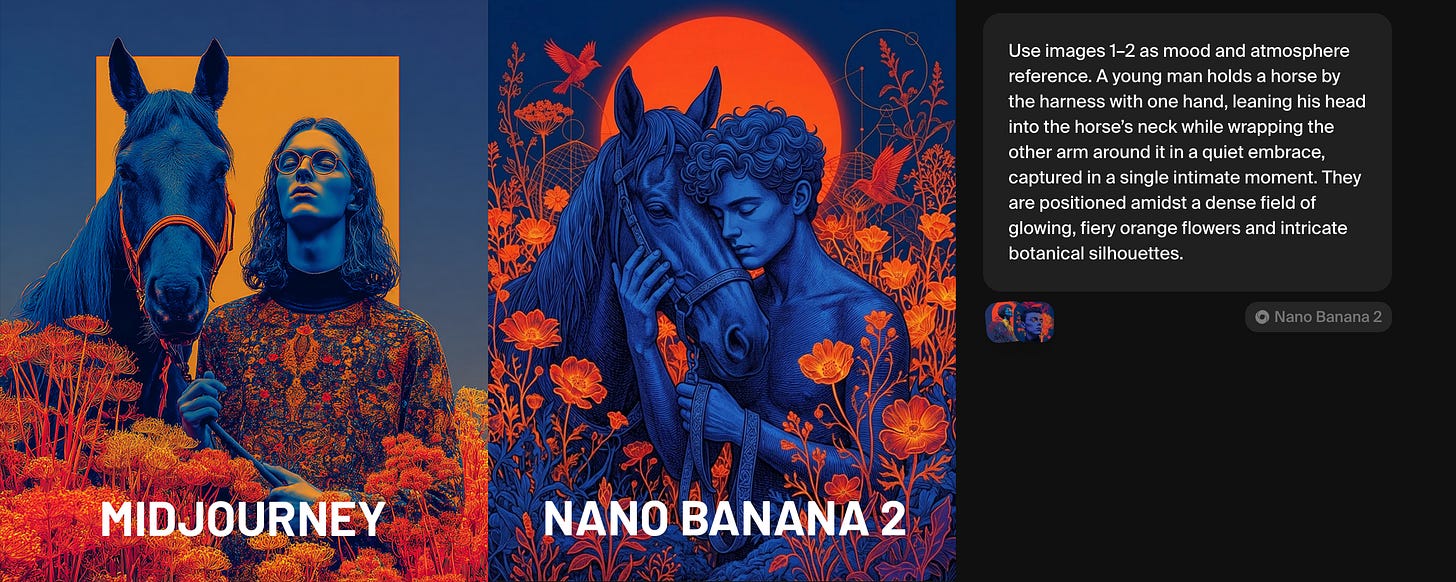
I built a free prompt converter that translates MidJourney prompts into Nano Banana Pro’s format. MidJourney uses compressed, parameter-heavy syntax. Nano Banana wants structured, descriptive natural language. The converter handles that translation — expanding cryptic MidJourney shorthand into the clear, detailed prompts that Nano Banana responds well to.
It works especially well when you pair it with reference images. If you have a style reference that captures the aesthetic you’re after, feed it into the converter alongside your prompt and you’ll get pretty close to your MidJourney output — it won’t be the exact same, but you will have a starting point for further exploration.
All you need to do is download the converter and feed it along with your Midjourney prompt into ChatGPT (or another AI).
Get the MidJourney to Nano Banana Converter from Gumroad (free)