

Anima-Tools 3.0: A Visual Artist, Character, Clothing, and LoRA Toolkit for Anime ComfyUI Workflows
If you often create anime images in ComfyUI, you probably know this small but very real pain:
You want to try different artist styles, but remembering artist tags is tedious.
You want a specific character, but the names, trigger words, and traits are scattered.
You want to change outfits, but you keep digging through old prompts.
You want to test Anima LoRAs, but searching, downloading, and loading them breaks your flow.
You want random inspiration, but manually editing prompts over and over gets old fast.
Anima-Tools is a ComfyUI custom node suite built for these exact workflows. It turns artist styles, anime characters, clothing tags, Anima LoRAs, and random prompt composition into visual, searchable panels.
GitHub: https://github.com/nregret/Comfyui-Anima-Tools
Support on Afdian: https://www.ifdian.net/a/nnegret?utm_source=copylink&utm_medium=link
1. Artist Style Selector
Anima-Tools includes a database of 40,000+ Danbooru artist styles. Instead of memorizing tags, you can browse artists visually, search by name, sort by popularity or uniqueness, and organize favorites into custom groups.
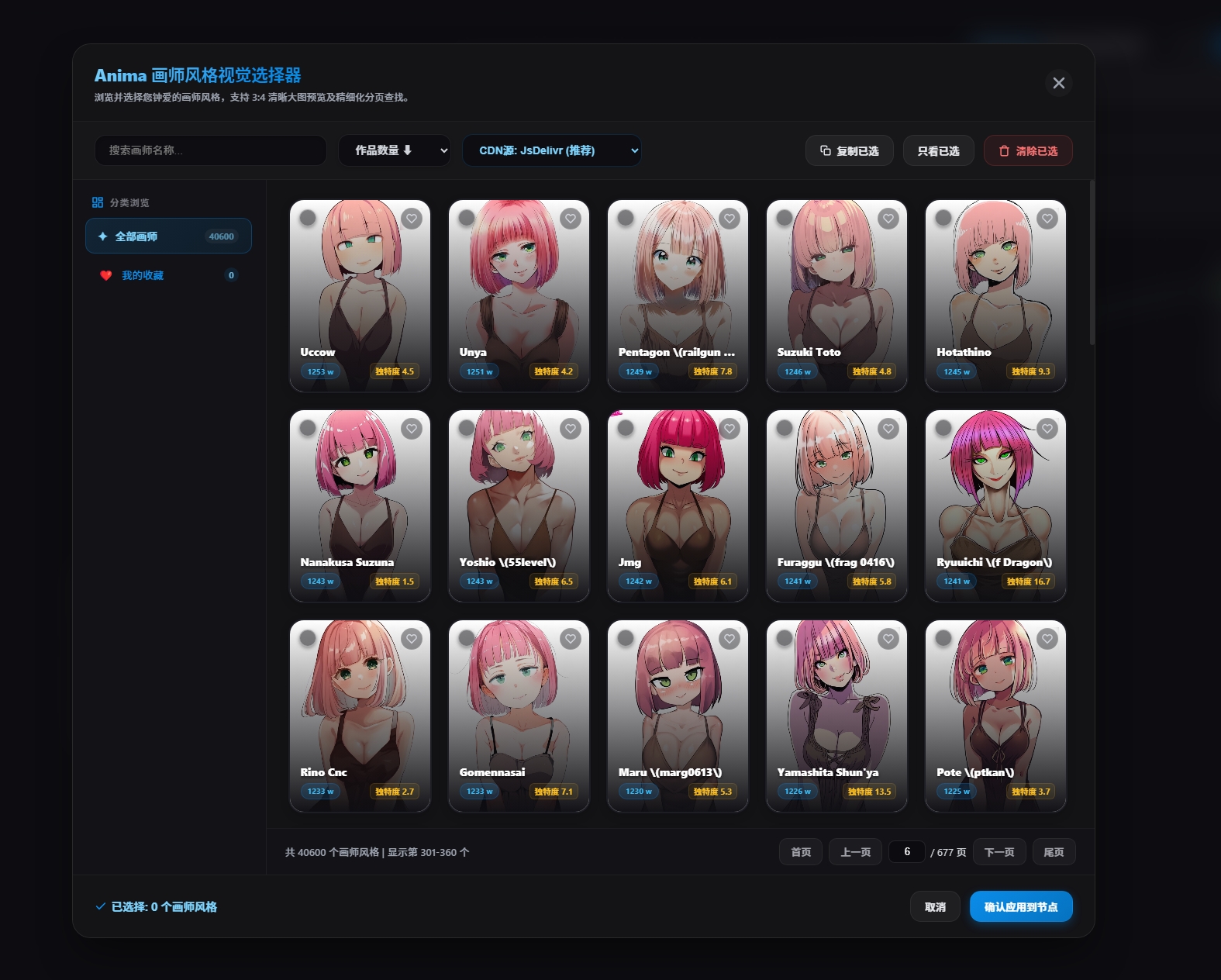
When you apply an artist, the node automatically formats the result as:
@artist_name,That means less cleanup, fewer formatting mistakes, and faster style testing.
Good for:
Exploring different anime art styles.
Building personal artist collections.
Testing the same character or outfit across many visual styles.
2. Anime Character Selector
The character selector is not just a text dropdown. It is a visual character browser with preview cards and multi-dimensional filters.
You can filter by:
Gender
Hair color
Eye color
Series
Illustration count / popularity
Favorites and custom groups
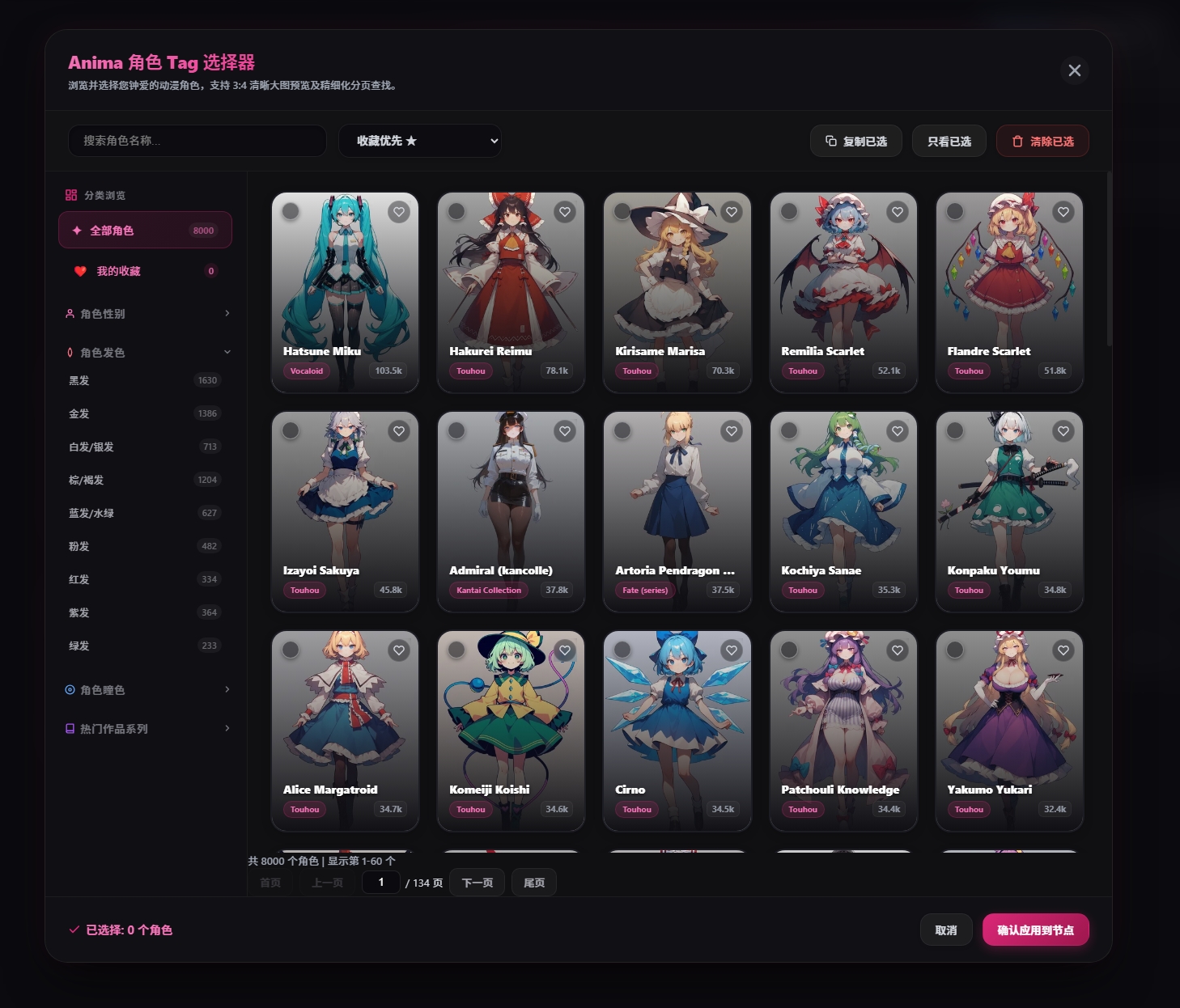
The character node supports two output modes:
Trigger: apply only the character trigger words.
Trigger + Tags: apply trigger words plus full character traits.
Use Trigger when you want a shorter prompt. Use Trigger + Tags when you want stronger character consistency.
3. Clothing Tag Selector
Version 3.0.0 adds a new clothing selector. It organizes outfit and clothing prompts into visual cards with categories, trait filters, favorites, and custom items.
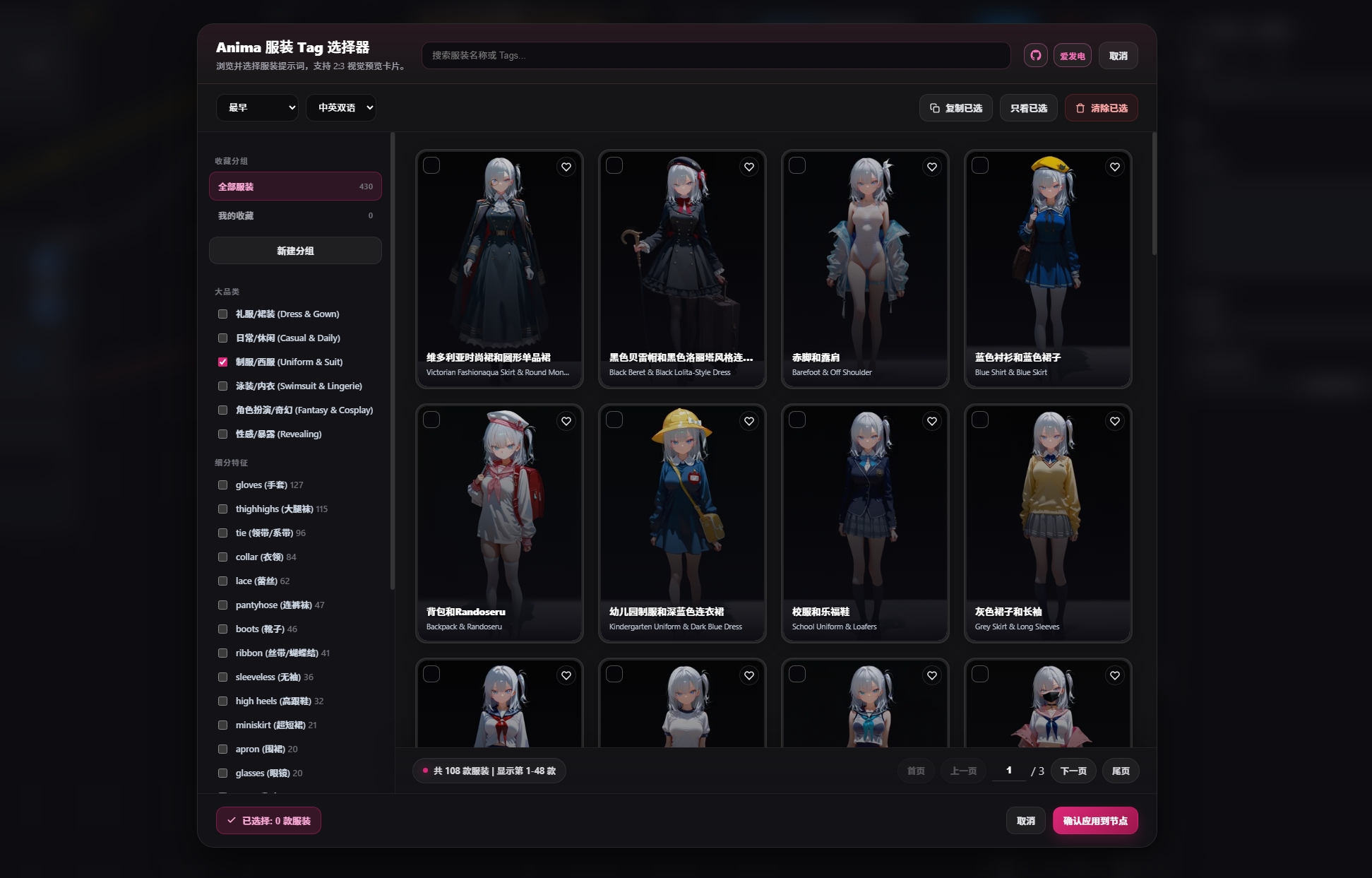
It is useful for managing:
Dresses and gowns
Casual outfits
Uniforms and suits
Swimwear and lingerie
Fantasy and cosplay outfits
Revealing styles
Detail tags like lace, gloves, thighhighs, boots, ribbons, and more
If you often reuse outfit prompt templates, you can save them as custom items and apply them later with one click.
4. Random Prompt Composer
One of the most useful additions in 3.0.0 is Anima Prompt Composer.
This node randomly combines:
Artist
Character
Clothing
It outputs a normal string in this order:
artist, character, clothing,
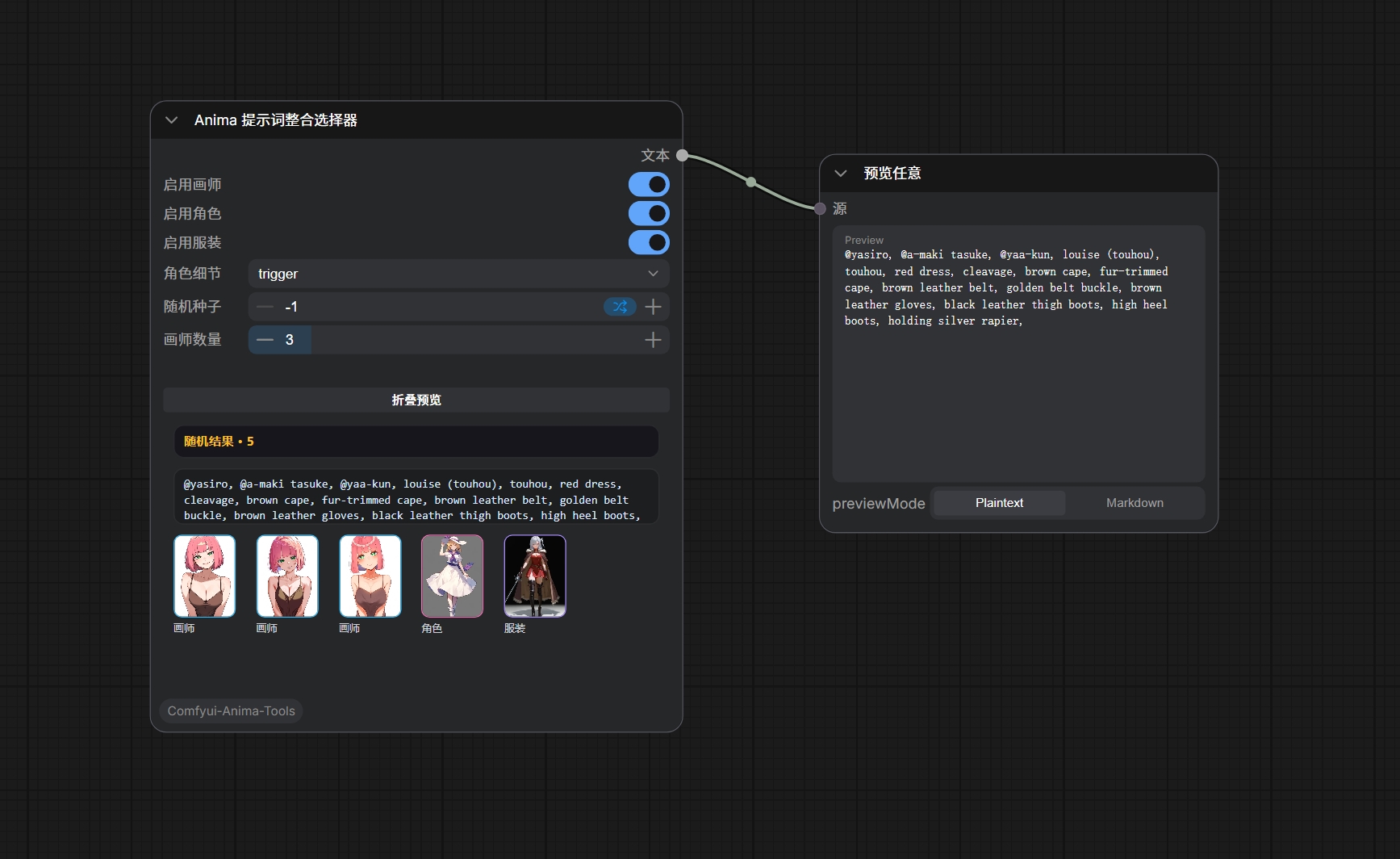
This is great for:
Random inspiration
Batch generation
Random character outfit exploration
Testing many styles under the same model
Workflow-level prompt automation
The node supports:
Enable or disable artist, character, and clothing independently.
Adjustable artist count.
Character output as Trigger or Trigger + Tags.
seed = -1for a new random result every run.Fixed seed for reproducible results.
Text preview directly on the node.
3:4 image previews directly on the node.
Collapsible preview area.
5. Anima LoRA Search and Loader
Anima-Tools also includes an Anima LoRA panel for searching, previewing, downloading, favoriting, and loading LoRAs directly inside ComfyUI.
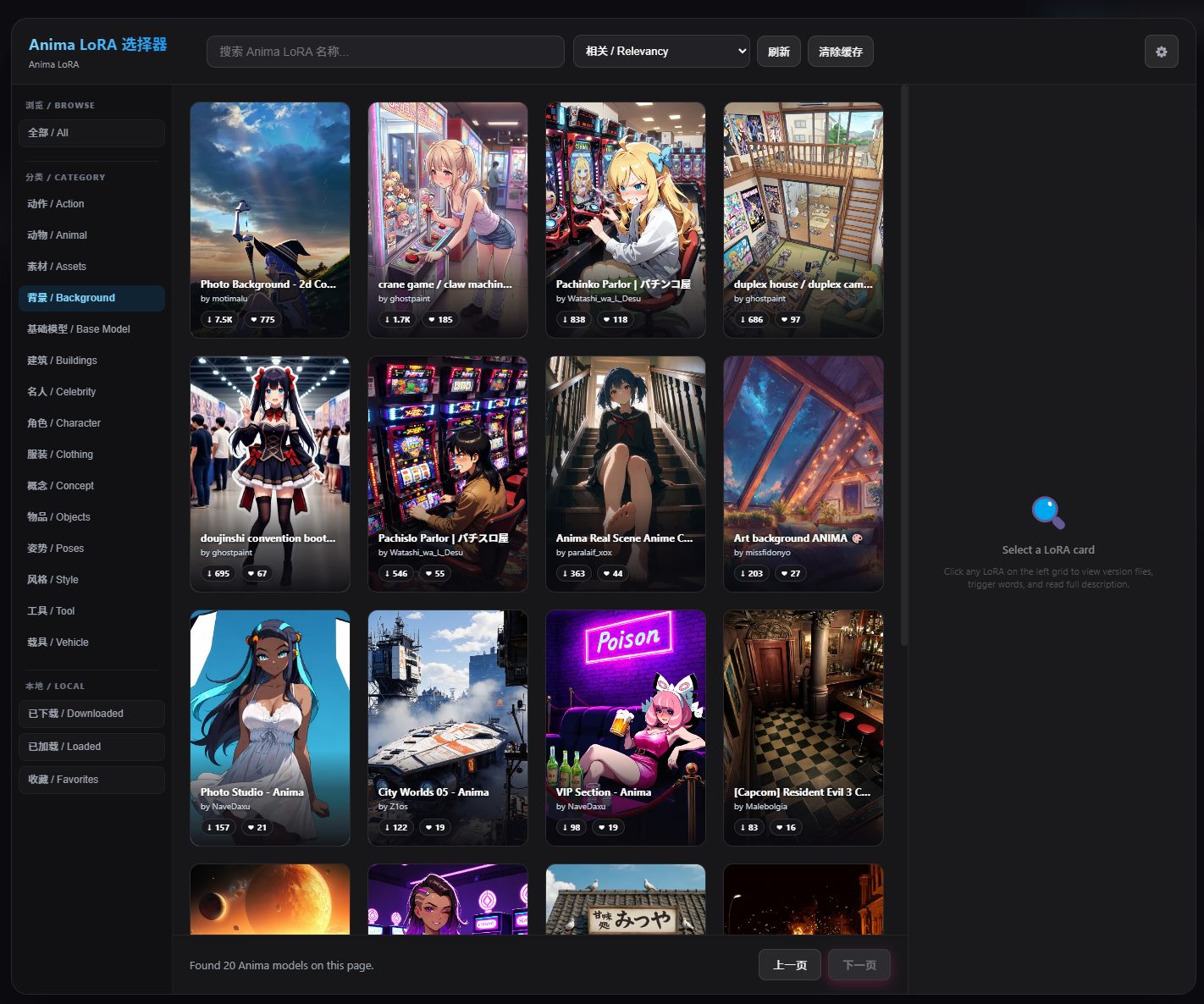
It supports:
Searching Anima LoRAs from Civitai.
Viewing LoRA preview images and metadata.
Downloading to your configured local directory.
Adding downloaded LoRAs to the current node.
Managing model strength.
Local LoRA preview and thumbnail caching.
For anyone who tests many LoRAs, this reduces a lot of browser and file-manager switching.
6. How It Fits Into a Workflow
All nodes are available under the AnimaArt category.
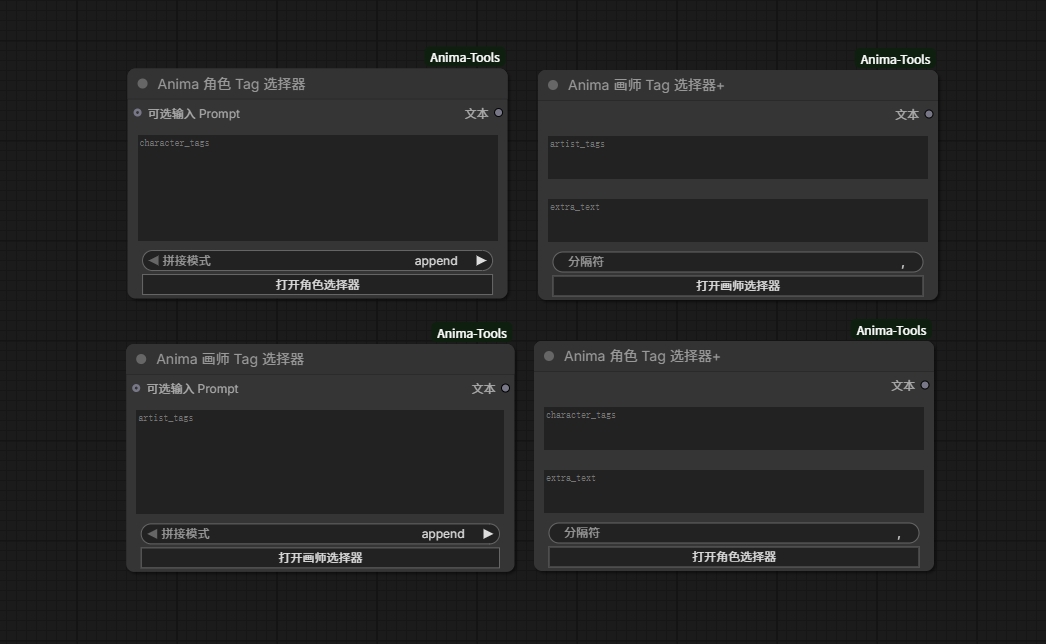
Common setups:
Artist Selector + Character Selector + Clothing Selector for precise prompt control.
Prompt Composer for automatic random prompt combinations.
Anima Multi LoRA Loader for managing multiple LoRAs in one place.
If you want control, use the individual selectors.
If you want inspiration, use the random composer.
7. Installation
Option 1: ComfyUI Manager
Open ComfyUI Manager, go to Custom Nodes Manager, and search:
Anima ToolsInstall it, then restart ComfyUI.
Option 2: Manual Installation
Go to your ComfyUI custom_nodes directory:
cd ComfyUI/custom_nodes/
git clone https://github.com/nregret/Comfyui-Anima-Tools.git
Restart ComfyUI after installation.
No extra Python dependencies are required.
8. What Is New in 3.0.0
Added Clothing Tag Selector.
Added Random Prompt Composer.
Added text preview and 3:4 image preview on the random composer node.
Added collapsible preview area.
Character output can use Trigger or Trigger + Tags.
Added GitHub and Afdian links inside the selector panels.
Updated README and preview images.
9. Support and Feedback
If Anima-Tools helps your workflow, please consider giving the GitHub repo a Star. You can also support ongoing development on Afdian.
GitHub: https://github.com/nregret/Comfyui-Anima-Tools
Support on Afdian: https://www.ifdian.net/a/nnegret?utm_source=copylink&utm_medium=link
Feedback, issue reports, feature ideas, and workflow screenshots are very welcome.