


The Motion Brush workflow enables users to animate selected parts of a still image. It operates by letting you "paint" over a chosen area or subject, specify a direction, and set the intensity of the animation.
To summarize, after selecting an area in a still image, this workflow generates an mp4 video file that animates the chosen region.
Here is an example below:-
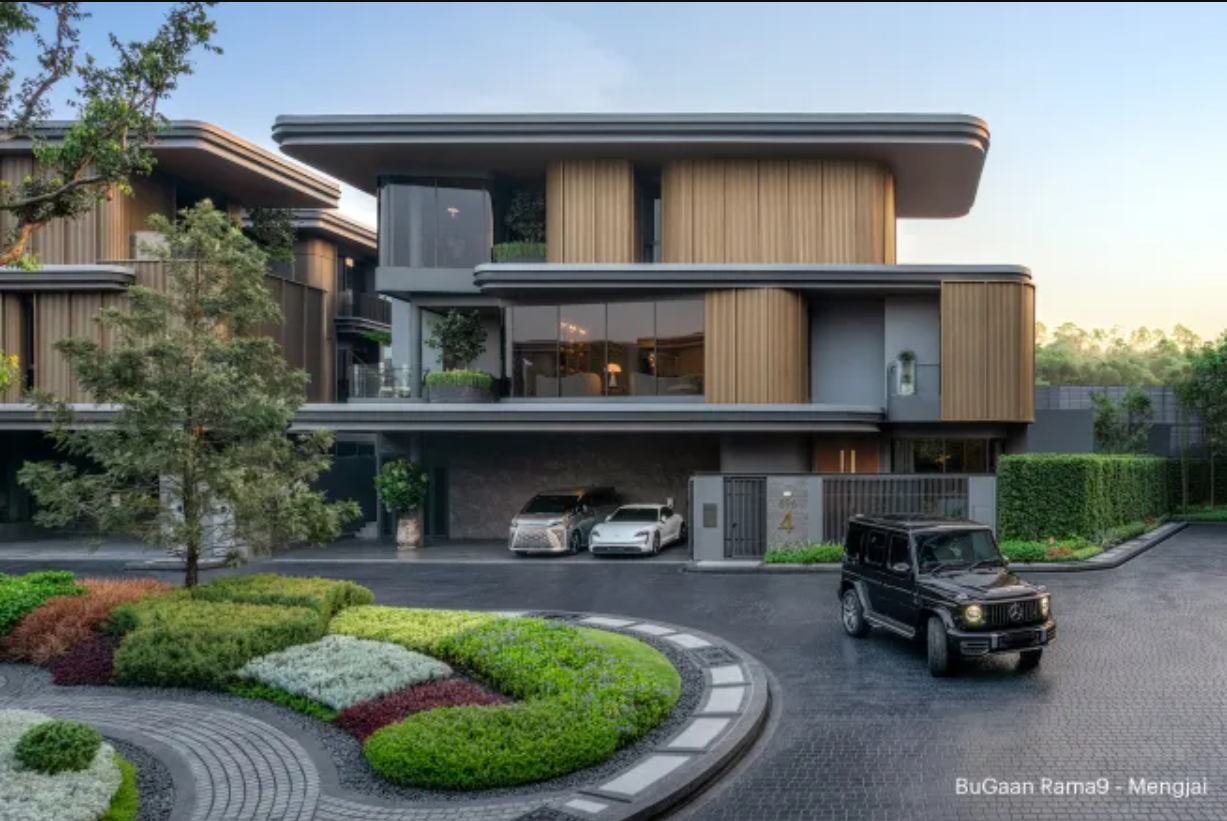
A still image of a house, cars and trees as an input to the ComfyUI motion brush workflow
We can upload the above image into our ComfyUI motion brush workflow to animate the car
Animate a still image using ComfyUI motion brush
Recommended User Level: Advanced or Expert
One Time Workflow Setup
Let's get the hard work out of the way, this is a one time set up and once you have done it, your custom nodes will persist the next time you launch a machine.
Download the workflow here Motion Brush Workflow
Launch a ThinkDiffusion Turbo machine.
Drag and drop the motion brush workflow .json file into your ComfyUI machine workspace.
If there are red coloured nodes, download the missing the custom nodes using ComfyUI manager:
ComfyUI Path Helper
MarasIT Nodes
KJNodes
Mikey Nodes
AnimateDiff
AnimateDiff Evolved
IPAdapter plus
ComfyUI Frame Interpolation
Rgthree
Recommended File – Download these files if not available in your Workflow’s node and restart the machine after uploading.
Download Files Here: https://drive.google.com/drive/folders/1-UzbFUw_tsT0IULuAau82xIJAGGdURCN?usp=drive_link
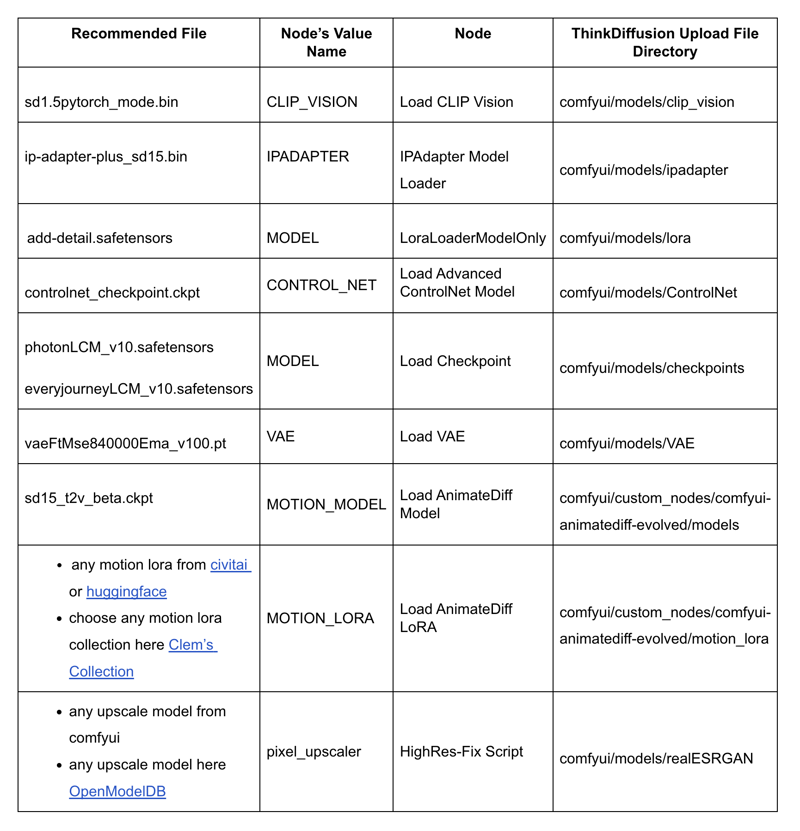
How to use the workflow
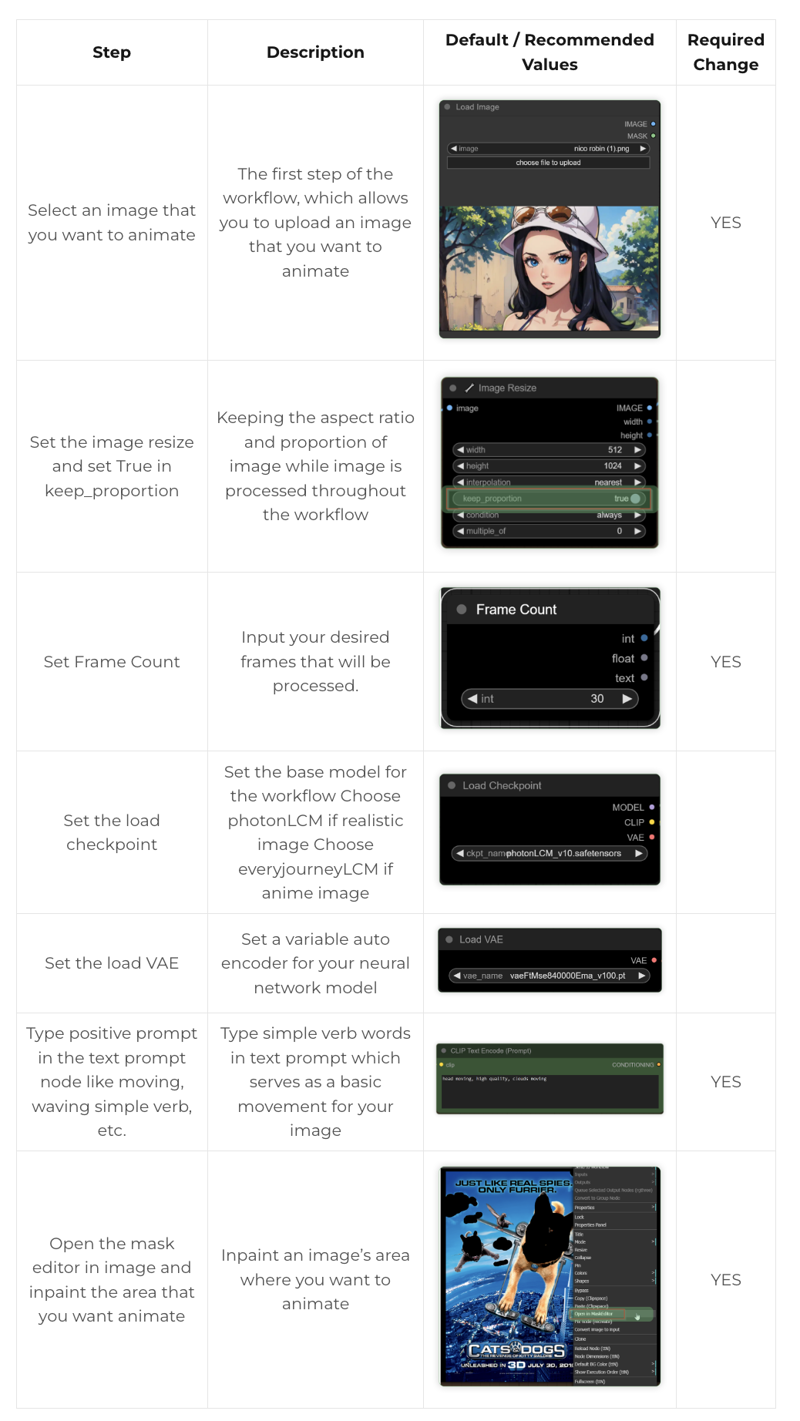
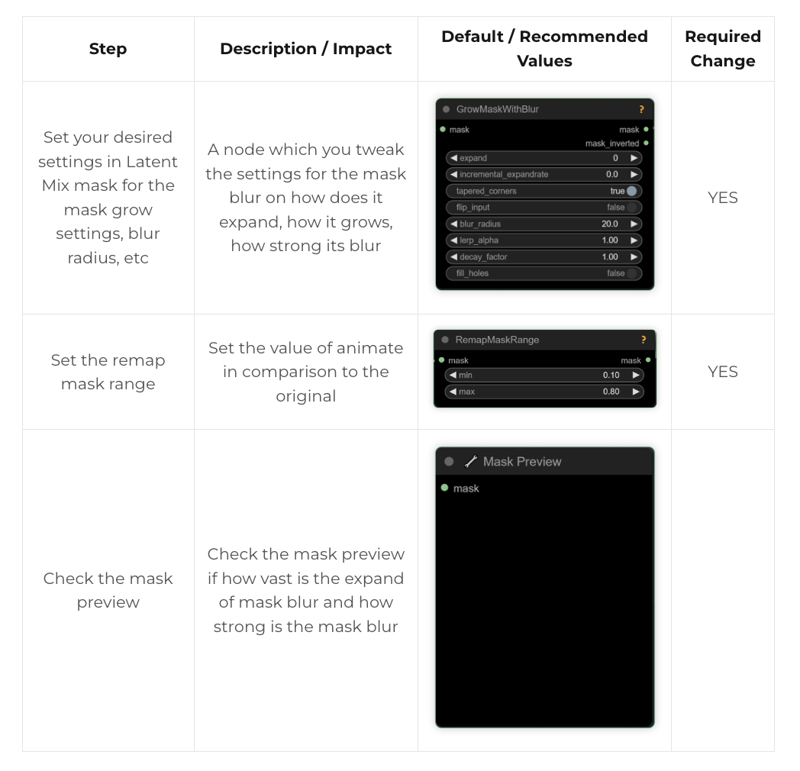
Now that the hard work is out of the way, let's get creative and animate some images. For most use cases, you only need to do the steps that are marked required change
1. Go to Inits and Conds Group Node
2. Go to Latent Mix Mask Group Node
3. Go to IpAdapter Group Node

4. Go to ControlNet Group Node
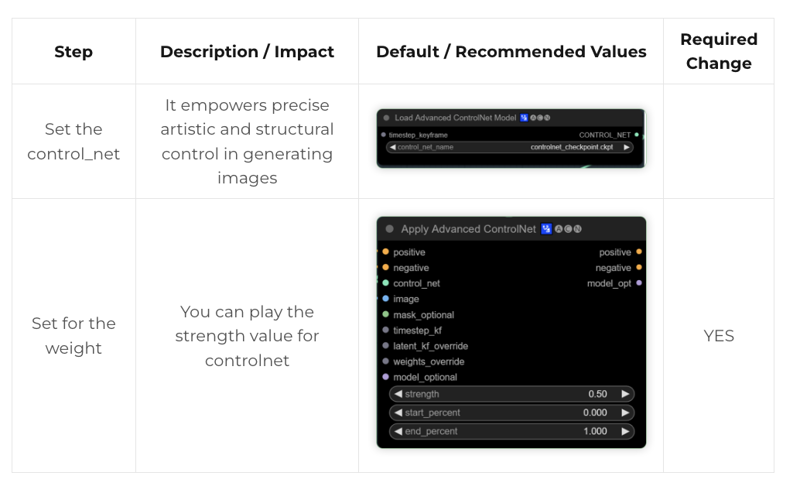
5. Go to Output Group Node

You can now click queue prompt to animate your still image!
If you’re having issues with installation or slow hardware, you can try any of these workflows on a more powerful GPU in your browser with ThinkDiffusion.
If you enjoy ComfyUI and you want to test out creating awesome animations, then feel free to check out this AnimateDiff tutorial here.
Original article can be found here: https://learn.thinkdiffusion.com/motion-brush-workflow/