
Updated: Jul 2, 2025
tool

This workflow references one image as the start and end frame to create a loop video. It has the ability to remove frames from the start and end of the video to enable a smoother loop transition. I recommend at least 12GB of VRAM. Video Generation requires good hardware.
-Lowering the CFG will improve generation times but also reduce motion.
-Anything over 4 seconds might fail or take forever. 3 seconds is the ideal video length for loop
----------
This workflow is a combination of IMG to VIDEO simple workflow WAN2.1 and Wan 2.1 seamless loop workflow
I recommend this workflow to be used with the Live Wallpaper Fast Fusion model.
I don't know anything about licenses so use at your own risk.
----------
The Automatic Prompt function requires Ollama. The installation process is more than just installing a node in ComfyUI
I recommend the gemma3 model with vision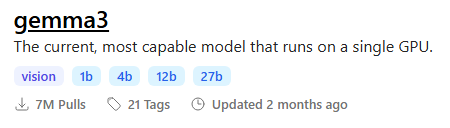 To maximize output quality, you can enter this in Ollama to generate motion-aware prompts for your images:
You are an expert in motion design for seamless animated loops.

Given a single image as input, generate a richly detailed description of how it could be turned into a smooth, seamless animation.

Your response must include:

✅ What elements **should move**:
– Hair
– Eyes
– Clothing or fabric elements
– Light effects
– Floating objects if they are clearly not rigid or fixed

🚫 And **explicitly specify what should remain static**:
– Rigid structures (e.g., chairs, weapons, metallic armor)
– Body parts not involved in subtle motion (e.g., torso, limbs unless there’s idle shifting)
– Background elements that do not visually suggest movement

⚠️ Guidelines:
– The animation must be **fluid, consistent, and seamless**, suitable for a loop
– Do NOT include sudden movements, teleportation, scene transitions, or pose changes
– Do NOT invent objects or effects not present in the image (e.g., leaves, particles, dust)
– Do NOT describe static features like colors, names, or environment themes
– Return only the description (no lists, no markdown, no instructions, no think)
----------
📂Files :
I recommend this workflow to be used with the Live Wallpaper Fast Fusion model.
Put it in models/diffusion_models
For regular version
CLIP: umt5_xxl_fp8_e4m3fn_scaled.safetensors
in models/clip
For GGUF version
>24 gb Vram: Q8_0
16 gb Vram: Q5_K_M
<12 gb Vram: Q3_K_S
Quant CLIP: umt5-xxl-encoder-QX.gguf
in models/clip
CLIP-VISION: clip_vision_h.safetensors
in models/clip_vision
VAE: wan_2.1_vae.safetensors
in models/vae
ANY upscale model:
Realistic : RealESRGAN_x4plus.pth
Anime : RealESRGAN_x4plus_anime_6B.pth
in models/upscale_models
----------