🦁 Civitai Prompt Beast
V1.0 | READ the 'How to use' , don't skip it
Civitai Prompt Beast is a powerful ComfyUI custom node designed to fetch, filter, and randomize prompts directly from the Civitai image gallery. It is perfect for finding inspiration, testing models with real-world prompts, or exploring trending styles.
Download -> unzip -> save your API key in civitai_key.txt, or as an environment variable CIVITAI_API_KEY, or in the node's API field (if you know what you're doing) -> place the folder in:
/ComfyUI/custom_nodes/restart the ComfyUI and search for Civitai Prompt Beast
How to Use
Get your API Key: Go to your Civitai User Settings and generate an API Key.
Secure Setup (Recommended):
Create a file named civitai_key.txt inside this node's folder.
Paste your API key inside.
Leave the api_key widget in ComfyUI empty. This ensures your key is not embedded in shared workflows or image metadata. (unless you use a save node that doesn't share the metadata)
Configure the Node:(Optional)
Query: Enter search terms ("cyberpunk", "anime portrait").
Base Model: Select the architecture (SDXL 1.0, Pony, etc).
Sort/Period: Choose how to find the best images (e.g., "Most Reactions" over "Month").
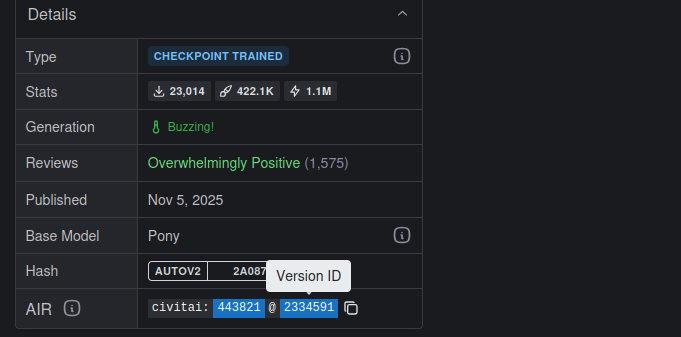
Model/Version ID: Copy a specific ID from a Civitai URL to scrape prompts only from that specific model.
(I f you have the psych for dealing with GitHub, feel free to publish it and add it to the ComfyUI custom node repository. How?
Fork the ComfyUI-Manager -> edit the custom-node-list.json -> commit )