Download
1 variant available


179
1.3K
20.9K

This is a ComfyUI worklfow
It's not particularly crazy in what it can create - all there is are 2 KSampler passes with an upscaler in-between. Instead, the main point is in QoL features to limit the time spent fiddling with widget values as much as possible so you can spend more time actually generating.
All the custom node requirements are listed in About this version and can be downloaded with ComfyUI Manager
Features:
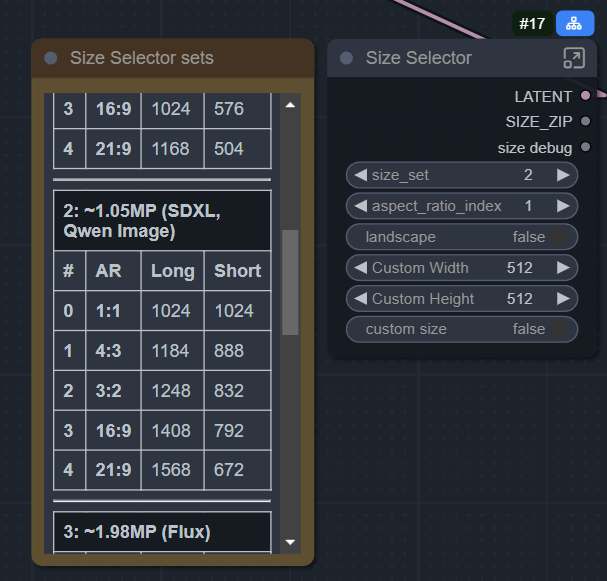
Size selector node for picking common aspect ratio resolutions at various sizes.
Quality Selector lets you append your prompts with a preset intended for the boring copy pasta of every prompt; the (masterpiece:1.4), best_quality etc stuff. You can keep as many presets like this as you like and selection or adding more is dead simple. They even come with a paired negative prompt preset.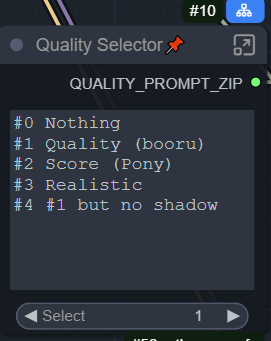
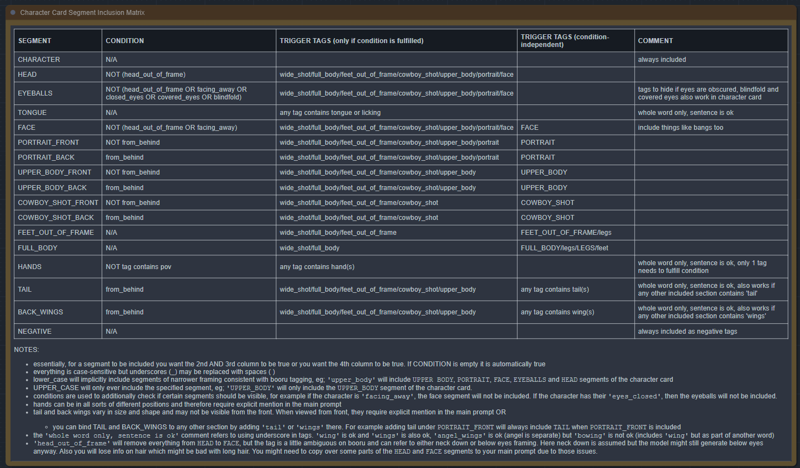
Optional: Character Card system lets you easily reuse prompts. Here You place your character card into the Character Card node (left) that you only have to create once, then you write your main prompt into the Smart Prompt box (middle). Certain tags when used in the Smart Prompt box will affect which sections of the Character Card get included. Here we used 'cowboy_shot' (blue) so the COWBOY_SHOT section got included along with any section referencing a framing that is a subset of cowboy_shot but only the front views. If we added from_behind, it would be only the back views for example. Additionally in orange, we have 'covered_eyes' written in the character card preventing the EYEBALLS section from being included and adding blue_eyes which would conflict with the covered_eyes tag. Removing covered_eyes from the card would allow blue_eyes through. In green is the quality preset from the previous feature appended at the end of the prompt.
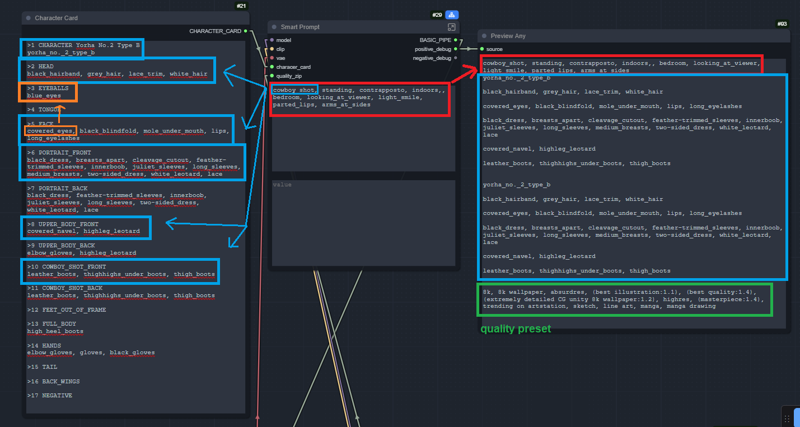 Below is a table going over every rule for including each section. It might look intimidating, but the entire goal here is to be intuitive. It probably works how you think it should.
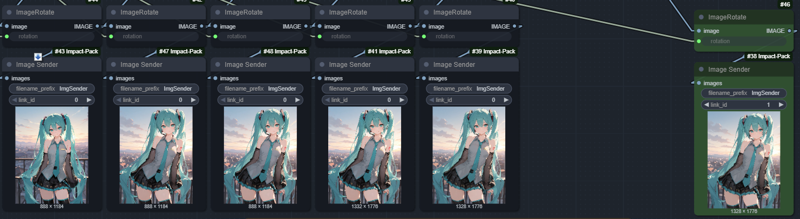
Previews via Image Sender/Receiver allow multiple senders to be connected to the same receiver via the same link_id, so you can get just the latest generated preview in one receiver node instead of having like 10 of them everywhere and can still access each step's preview be checking the sender.
Here left = latest preview, right = latest finished generation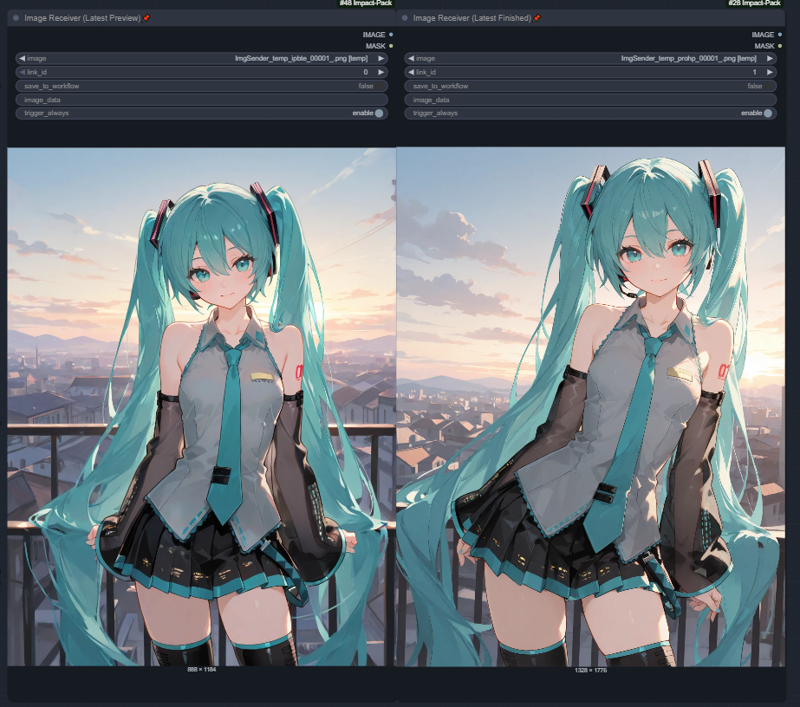 1st step finished generating a new preview, the rest hold their steps from the previous run.