


.jpeg)
If you don't know what it's about yet, then pls read about the script here.
Better! Faster! Stronger!
This update is mostly about fixing bugs and improving things that were inconvenient in daily use.
📂 File naming and storage
Previously, grids were saved as xygrid.png or batchgrid.png, which were easily overwritten. It was easy to lose results or get confused.
Now, each grid gets a unique name with a timestamp — generation history is transparent and tidy.🗂️ Folder organization
Instead of everything piling up in Forge_Grid_Sampler_x_Scheduler, results are now stored in a dedicated folder
“🔬 Sampler × Scheduler Grid (Forge)” inside the standard outputs. Much easier to find what you need.🏷️ Image labels
In Batch Grid, labels were always placed under the images and could not be turned off.
Now, they are placed above the images and only if Add labels is enabled.
The format is also cleaner: Euler a × Automatic.✨ Readability and layout
Long labels on the Y-axis used to stretch the grid. Now, the text is rotated 90° and remains readable.
Spacing is also unified: a single padding value controls everything, so the grid looks neat and symmetrical.🖥️ UI convenience
The interface is cleaner and more logical: blocks are grouped, and defaults are more practical
(Steps = 35, CFG Scale = 5, Padding = 20).
The option “💾 Save each cell individually” is now disabled by default to avoid clutter.🛑 Stopping generation
The "🛑 Stop Grid Generation" button now works predictably — generation stops cleanly without glitches.🧩 Code improvements
The codebase is lighter and easier to read: duplicates removed, logic simplified, while keeping full functionality.📜 Logging and messages
More detailed logs were added: save operations are displayed, and warnings appear when images are downscaled.🖼️ Save quality
For .webp, quality was increased from 95 to 100.📁 Folder creation
Fixed a bug where grids could not be saved if the parent folder was missing.
Now, folders are created correctly and reliably.
Summary
Before/After:
Grids saved with the same names (xygrid.png, batchgrid.png) and often overwritten/Each grid has a unique timestamped name, nothing gets lost.
Results stored in Forge_Grid_Sampler_x_Scheduler, hard to navigate/Everything saved in a dedicated folder “🔬 Sampler × Scheduler Grid (Forge)” under outputs
Batch Grid labels always added and only below images/Labels added above images, and only if Add labels is enabled
Labels were plain and inconsistent/Labels now look cleaner: Euler a × Automatic
Long Y-axis labels wasted space/Y-axis text rotated 90°, readable and compact
Different spacing rules made the grid look uneven/Unified padding makes the grid neat and symmetrical
Interface cluttered, defaults not very practical/Cleaner UI: Steps = 35, CFG Scale = 5, Padding = 20. Save-each-cell disabled by default
Stop button was unreliable/Stop generation works predictably and safely
Code was bloated with duplicates/Code simplified, logic clearer, functionality preserved
.webp saved at quality 95/.webp always saved at max quality (100)
Error if parent folder was missing/Folders created reliably even if parents were deleted
Almost no logs/Save logs and downscale warnings now included
🩵 You can download it from here or from the attached files. Or if it is more convenient for you, then install it here🩵
📸 Examples
🧩 Batch Grid

🔄 XY Grid
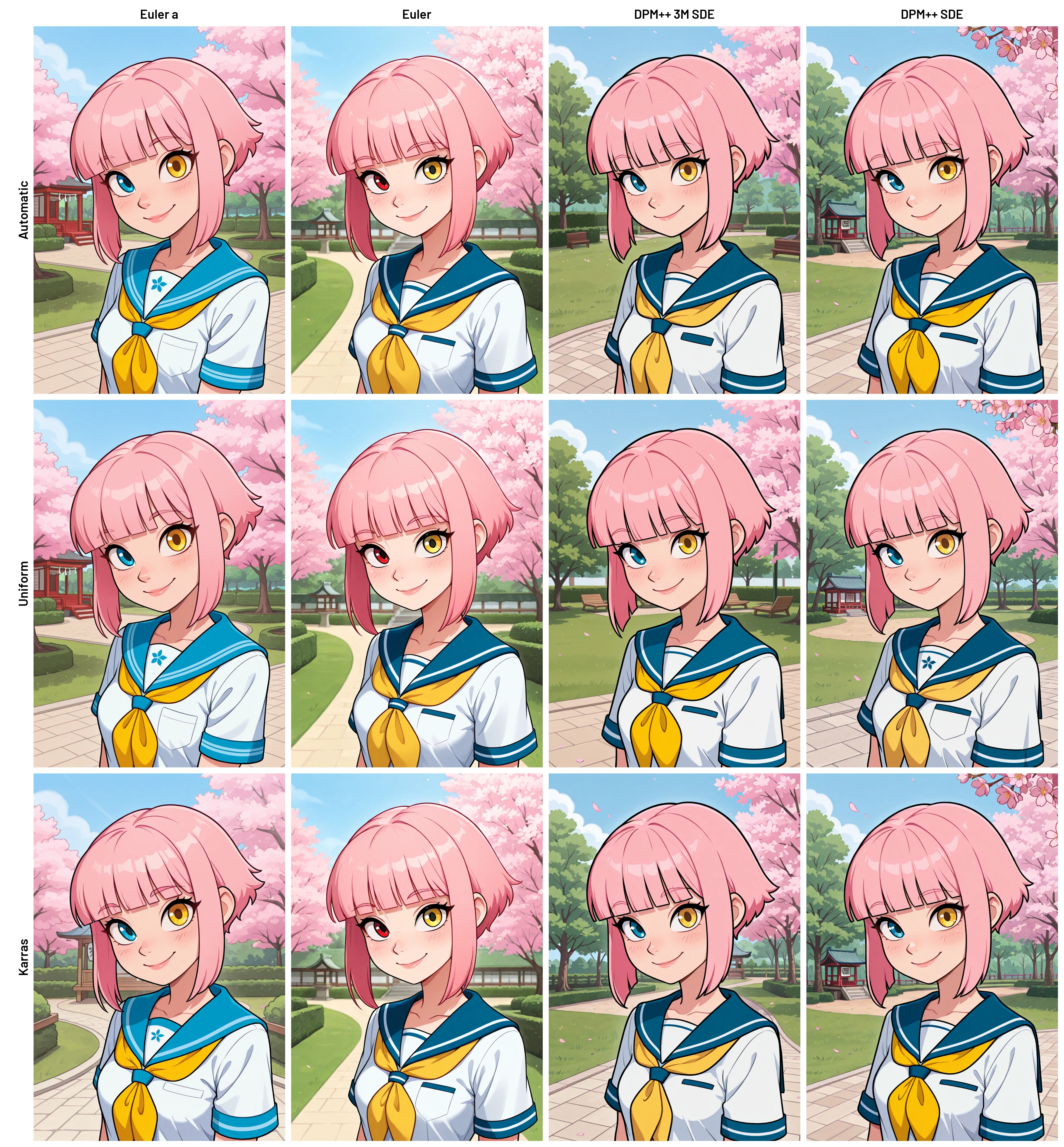
🚫 Without Labels
