



Note: I highly recommend using latent upscaling (HiResFix) + eye detailer to fix distorted face in wider shorts. An example workflow with both fixes is attached in last image.
Main prompt tags: hudsonxl, anthro, gargoyle, solo, scar across eye, heterochromia, wings, shoulder armor, brown shirt, black wristband, loincloth, belt, gold buckle, beige pants <------ should always be included
Style control:
for the retro TV show style use following positive prompts: cartoon, retro
for regular style only keep cartoon in positive prompt
Recommended samplers:
- Euler Ancestral Scheduler: Normal CFG: 6.5-7.0 Steps: 20-30 Lora strength: 1.0
- euler_ancestral_cfg_pp Scheduler: Normal CFG: 1.0 Steps: 20-25 Lora strength: 1.0
Prompt tips (green - positive, red - negative):
- shoulder armor, brown shirt, black wristband, loincloth, belt, gold buckle, beige pants - full base clothing
- heterochromia, scar across eye - his most important facial features
- (brown cape:1.3) - can be used to simulate his wings wrapped around like a cape. Requires removal of wings, shoulder armor from positive prompt
- glowing white eyes - for the aggressive mode canonical to the show
- 4 fingers / 4 claws will help showing canonical number of claws
- white fangs - if his fangs turn brown
- (gold buckle:0.4) - lowering weight/putting into negative can help fix the double-sided belt buckle. Lowering CFG/steps also helps
- vhs filter will give the style even more retro feel closer to the original cartoon
The LoRa should support all kinds of Illustrious checkpoints. Tested working well with the following:
WAI-NSFW-illustrious-SDXL v12.0
Nova FurryXL Illustrious v5.0
To improve details:
- generate using higher base resolution (e.g. 1384x1384) or use latent upscaling / highres fix - especially when trying to do full body poses
- for fixing wonky face/eyes I use FaceDetailer node (comfyui) + Adetailer Face finder model
Last image in the gallery can be imported into ComfyUI with a basic workflow: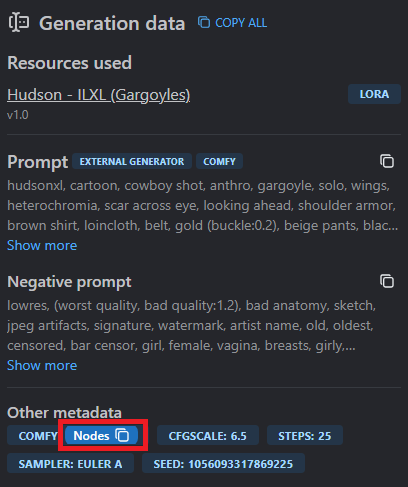
Requires download of face detailer custom nodes + Eyeful_v2-Paired.pt model (can be Googled). Workflow includes a HiresFix pass with x1.35 latent upscaling by default.
For portraits/upper body shots I recommend lowering the upscaling ratio ('Upscale Latent By' node) - otherwise you might get distorted details.